
Incus 6.17 リリースのお知らせ
2025/09/26
はじめに 
Incus チームは、Incus 6.17 のリリースのアナウンスができてうれしいです!
このリリースでは、IncusOS ユーザー向けの初期の CLI、OVN ネットワークに対する優れた機能強化、クラスターユーザー向けの柔軟性の向上が行われ、新しいインスタンスオプションがいくつか追加されています。
いつものように、オンラインでご自身で試せます: https://linuxcontainers.org/incus/try-it/
Enjoy!
新機能 
IncusOS管理コマンド 
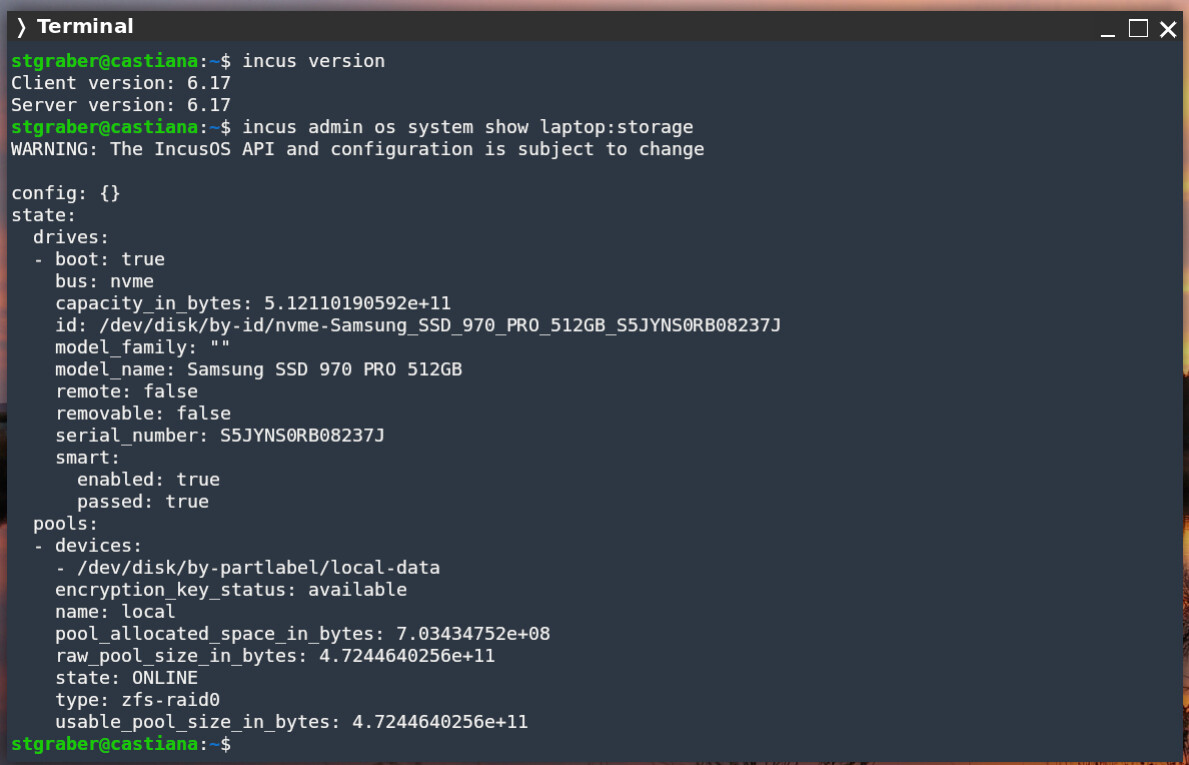
incus admin os から始まる新しいコマンド群が追加され、リモートの IncusOS システムが簡単に設定できるようになりました。
stgraber@castiana:~$ incus admin os system show laptop:storage
WARNING: The IncusOS API and configuration is subject to change

config: {}
state:
  drives:
  - boot: true
    bus: nvme
    capacity_in_bytes: 5.12110190592e+11
    id: /dev/disk/by-id/nvme-Samsung_SSD_970_PRO_512GB_S5JYNS0RB08237J
    model_family: ""
    model_name: Samsung SSD 970 PRO 512GB
    remote: false
    removable: false
    serial_number: S5JYNS0RB08237J
    smart:
      enabled: true
      passed: true
  pools:
  - devices:
    - /dev/disk/by-partlabel/local-data
    encryption_key_status: available
    name: local
    pool_allocated_space_in_bytes: 7.03410176e+08
    raw_pool_size_in_bytes: 4.7244640256e+11
    state: ONLINE
    type: zfs-raid0
    usable_pool_size_in_bytes: 4.7244640256e+11
現時点では、CLI の非常に初期の段階のバージョンであり、多くの機能がまだ実装されていません。しかし、すでにネットワーク、ストレージ、システムサービスまわりの一般的な設定の一部に使用できます。
OVN ネットワークのトンネルサポート 
OVN ネットワークで、従来のブリッジネットワークでは長い間提供されていたトンネル設定キーが使えるようになりました。
これにより、GRE また VXLAN 経由で OVN ネットワークを拡張できるようになりました。
root@server04:~# incus network show ovn-vxlan
config:
  bridge.mtu: "1450"
  ipv4.address: 10.12.125.1/24
  ipv4.nat: "true"
  ipv6.address: fd42:ce36:66f9:5ec2::1/64
  ipv6.nat: "true"
  network: UPLINK
  tunnel.sta.id: "100"
  tunnel.sta.protocol: vxlan
  volatile.network.ipv4.address: 172.31.254.15
  volatile.network.ipv6.address: fd00:1e4d:637d:1234:1266:6aff:fe98:b8db
description: ""
name: ovn-vxlan
type: ovn
used_by: []
managed: true
status: Created
locations:
- server04
- server03
- server01
- server02
project: default
ドキュメント: https://linuxcontainers.org/incus/docs/main/reference/network_ovn/
OOM(Out-of-memory)優先度の制御 
OOM(メモリ不足)イベントが発生した場合のプロセスの優先度を制御するために、コンテナと仮想マシンの両方に新しい設定キーが追加されました。
その設定キーは limits.memory.oom_priority です。この値はカーネルの OOM 優先度に対応しており、値が小さいほど、メモリ不足の際にメモリの解放対象として選ばれる可能性が低くなります。
ドキュメント: https://linuxcontainers.org/incus/docs/main/reference/instance_options/#instance-options-limits
バックアップをインポートする際に上書き可能な設定とデバイス 
バックアップをインポートする際(incus import)、構成とデバイスを上書きして適用できるようになりました。これは、インスタンスコピー(incus copy)と同じように機能します。
stgraber@castiana:~$ incus config show a1
architecture: x86_64
config:
  image.architecture: amd64
  image.description: Alpine edge amd64 (20250925_13:00)
  image.os: Alpine
  image.release: edge
  image.requirements.secureboot: "false"
  image.serial: "20250925_13:00"
  image.type: squashfs
  image.variant: default
  volatile.base_image: aba1610b7aca5e68952511100e2652423baaa326d66d8a81efafb9385b322976
  volatile.cloud-init.instance-id: 3da65657-1355-40ec-88b0-c69cee657ddb
  volatile.eth0.host_name: veth18d71455
  volatile.eth0.hwaddr: 10:66:6a:fd:cc:96
  volatile.idmap.base: "0"
  volatile.idmap.current: '[{"Isuid":true,"Isgid":false,"Hostid":1000000,"Nsid":0,"Maprange":1000000000},{"Isuid":false,"Isgid":true,"Hostid":1000000,"Nsid":0,"Maprange":1000000000}]'
  volatile.idmap.next: '[{"Isuid":true,"Isgid":false,"Hostid":1000000,"Nsid":0,"Maprange":1000000000},{"Isuid":false,"Isgid":true,"Hostid":1000000,"Nsid":0,"Maprange":1000000000}]'
  volatile.last_state.idmap: '[]'
  volatile.last_state.power: RUNNING
  volatile.uuid: dc392e6f-e1dd-42cd-af81-3491eebac20e
  volatile.uuid.generation: dc392e6f-e1dd-42cd-af81-3491eebac20e
devices:
  root:
    path: /
    pool: default
    size: 1GiB
    type: disk
ephemeral: false
profiles:
- default
stateful: false
description: ""
stgraber@castiana:~$ incus export a1
Backup exported successfully!
stgraber@castiana:~$ incus delete -f a1

stgraber@castiana:~$ incus import a1.tar.gz -c limits.cpu=4 -d root,size=5GiB
stgraber@castiana:~$ incus config show a1
architecture: x86_64
config:
  image.architecture: amd64
  image.description: Alpine edge amd64 (20250925_13:00)
  image.os: Alpine
  image.release: edge
  image.requirements.secureboot: "false"
  image.serial: "20250925_13:00"
  image.type: squashfs
  image.variant: default
  limits.cpu: "4"
  volatile.base_image: aba1610b7aca5e68952511100e2652423baaa326d66d8a81efafb9385b322976
  volatile.cloud-init.instance-id: 3da65657-1355-40ec-88b0-c69cee657ddb
  volatile.eth0.host_name: veth18d71455
  volatile.eth0.hwaddr: 10:66:6a:fd:cc:96
  volatile.idmap.base: "0"
  volatile.idmap.current: '[{"Isuid":true,"Isgid":false,"Hostid":1000000,"Nsid":0,"Maprange":1000000000},{"Isuid":false,"Isgid":true,"Hostid":1000000,"Nsid":0,"Maprange":1000000000}]'
  volatile.idmap.next: '[{"Isuid":true,"Isgid":false,"Hostid":1000000,"Nsid":0,"Maprange":1000000000},{"Isuid":false,"Isgid":true,"Hostid":1000000,"Nsid":0,"Maprange":1000000000}]'
  volatile.last_state.idmap: '[]'
  volatile.last_state.power: RUNNING
  volatile.uuid: dc392e6f-e1dd-42cd-af81-3491eebac20e
  volatile.uuid.generation: dc392e6f-e1dd-42cd-af81-3491eebac20e
devices:
  root:
    path: /
    pool: default
    size: 5GiB
    type: disk
ephemeral: false
profiles:
- default
stateful: false
description: ""
database-client クラスターロール 
新たに database-client クラスターロールが追加されました。
クラスター内のサーバーにこのロールを与えると、このサーバーはデータベースのコピーを取得せず、常にデータベースのクライアントとしてのみ機能するようになります。
このロールの主なユースケースは、クラスター内の一部のサーバーが、実際はクラスターに所属する物理サーバー上で実行されている仮想マシンであるような環境を扱う際です。このようなシナリオでは、このような仮想マシンがデータベースのクラスターにならないようにする必要があります。物理サーバーの 1 つが失われると、1 つ以上のデータベースサーバーが失われ、クラスターが即座にクォーラムを失い、デッドロックが発生する可能性があります。
root@server04:~# incus cluster list
+----------+----------------------------------------------------+------------------+--------------+----------------+-------------+--------+-------------------+
|   NAME   |                        URL                         |      ROLES       | ARCHITECTURE | FAILURE DOMAIN | DESCRIPTION | STATUS |      MESSAGE      |
+----------+----------------------------------------------------+------------------+--------------+----------------+-------------+--------+-------------------+
| server01 | https://[2602:fc62:b:8006:216:3eff:fe1a:ed0d]:8443 | database         | x86_64       | default        |             | ONLINE | Fully operational |
+----------+----------------------------------------------------+------------------+--------------+----------------+-------------+--------+-------------------+
| server02 | https://[2602:fc62:b:8006:216:3eff:fe56:5276]:8443 | database         | x86_64       | default        |             | ONLINE | Fully operational |
+----------+----------------------------------------------------+------------------+--------------+----------------+-------------+--------+-------------------+
| server03 | https://[2602:fc62:b:8006:216:3eff:fec6:eaa8]:8443 | database-leader  | x86_64       | default        |             | ONLINE | Fully operational |
|          |                                                    | database         |              |                |             |        |                   |
+----------+----------------------------------------------------+------------------+--------------+----------------+-------------+--------+-------------------+
| server04 | https://[2602:fc62:b:8006:216:3eff:fea3:6d]:8443   | database-standby | x86_64       | default        |             | ONLINE | Fully operational |
+----------+----------------------------------------------------+------------------+--------------+----------------+-------------+--------+-------------------+
root@server04:~# incus cluster role add server04 database-client
root@server04:~# incus cluster list
+----------+----------------------------------------------------+-----------------+--------------+----------------+-------------+--------+-------------------+
|   NAME   |                        URL                         |      ROLES      | ARCHITECTURE | FAILURE DOMAIN | DESCRIPTION | STATUS |      MESSAGE      |
+----------+----------------------------------------------------+-----------------+--------------+----------------+-------------+--------+-------------------+
| server01 | https://[2602:fc62:b:8006:216:3eff:fe1a:ed0d]:8443 | database        | x86_64       | default        |             | ONLINE | Fully operational |
+----------+----------------------------------------------------+-----------------+--------------+----------------+-------------+--------+-------------------+
| server02 | https://[2602:fc62:b:8006:216:3eff:fe56:5276]:8443 | database        | x86_64       | default        |             | ONLINE | Fully operational |
+----------+----------------------------------------------------+-----------------+--------------+----------------+-------------+--------+-------------------+
| server03 | https://[2602:fc62:b:8006:216:3eff:fec6:eaa8]:8443 | database-leader | x86_64       | default        |             | ONLINE | Fully operational |
|          |                                                    | database        |              |                |             |        |                   |
+----------+----------------------------------------------------+-----------------+--------------+----------------+-------------+--------+-------------------+
| server04 | https://[2602:fc62:b:8006:216:3eff:fea3:6d]:8443   | database-client | x86_64       | default        |             | ONLINE | Fully operational |
+----------+----------------------------------------------------+-----------------+--------------+----------------+-------------+--------+-------------------+
ドキュメント : https://linuxcontainers.org/incus/docs/main/explanation/clustering/
OVN アップリンクネットワークにおける parent=none のサポート 
クラスター内の一部のサーバーのみに OVN アップリンクネットワークを設定できるようになりました。対象の物理ネットワークにアクセスできないサーバーには、parent=none を設定する必要があります。
これにより、OVN はアップリンクに物理的に接続されたサーバー上でのみ論理ルーターを実行しますが、残りのサーバーではインスタンスを実行でき、すべてのトラフィックは他のサーバーにトンネリングされます。
ドキュメント : https://linuxcontainers.org/incus/docs/main/reference/network_ovn/
事前に与える構成(preseed)内のクラスターグループ 
Incus サーバーの事前に与える構成のロジックが拡張され、クラスターグループを含めるようになりました。
これにより、デフォルトのグループを構成したり、初期化中に追加のグループを定義したり、更新したりできるようになります。
root@server01:~# cat seed.yaml
cluster_groups:
  - name: default
    description: Default cluster group
    config:
      instances.vm.cpu.x86_64.baseline: host
  - name: test2
    description: Test
    config:
      instances.vm.cpu.x86_64.baseline: core2duo
root@server01:~# incus admin init --preseed < seed.yaml
root@server01:~#
すべての変更点 
このリリースのすべての変更のリストは次の通りです(翻訳なし):
すべてのChangeLogを見る
- tests: Skip XFS on ZFS with Ubuntu 24.04
- doc: Remove unnecessary backquotes around commands in TrueNAS doc
- incusd/device/disk: Allow mounting individual files from custom volumes
- tests: Test mounting individual files from custom volumes
- network/incusd: Allow parent=none physical networks, bypass chassis enablement
- incusd/cluster/evacuate: Clarify error
- doc/instance-create: Mention TLS for the agent
- devcontainer: Update Go to 1.24 and Debian to trixie
- incusd/db: Add 'database-client' role
- incusd/cluster: Add support for rebalancing nodes with 'database-client' role
- incusd: Add logic for selecting nodes with 'database-client' role to process
- incusd: Allow rebalancing when there are too many voters or stand-by nodes
- docs: Fix markdown linting issues for tables
- incusd/cluster: Rename dqlite to cowsql in header
- incus: Add incus admin os command
- i18n: Update translation templates
- incusd/cluster: Clarify comment for cluster rebalancing
- incusd/instance_patch: Fix description field not respecting PATCH semantics
- Translated using Weblate (Portuguese)
- client/oci: Allow OCI image names with a pinned hash
- doc: Add Rocky 10 Copr Repository
- shared/tls: Remove tls.Config.Time override
- build(deps): bump actions/setup-go from 5 to 6
- build(deps): bump actions/labeler from 5 to 6
- incusd/storage/lvm: Don't use pvcreate with cluster
- incus/admin/os: Fix list commands
- incus/admin/os: Don't require remote name in debug
- incus/admin/os: Rename commands for consistency
- doc: Update third party tool URLs
- doc: Hashicorp web servers don't like Github Runners
- incusd/api_os: Set X-IncusOS-Proxy prefix
- incus/export: Fail fast if target already exists
- i18n: Update translation templates
- tests: Cleanup backup files after use
- docs: Clarify clustered storage pools
- api: instance_limits_oom
- incusd/instance/validate: Add OOM priority validation
- incusd/instance/config: Add limits.memory.oom_priority config key
- doc: Update metadata
- incusd/instance/driver_common: Add setOOMPriority shared method
- incusd/instance/driver_lxc: Apply OOM priority to containers
- incusd/instance/driver_qemu: Apply OOM priority to VMs
- incusd/project/permissions: Forbid limits.memory.oom_priority in restricted projects
- api: backup_override_config
- client: Allow config/device override on backup import
- incus/import: Add override config and device
- incusd/instances/import: Add device and config overrides
- i18n: Update translation templates
- po: Manual import from weblate
- internal/incusos: Introduce IncusOS API client
- incusd/sys/os: Make use of IncusOS client
- incusd: Update for OS struct change
- incusd/networks: Use IncusOS API client
- incusd/storage: Add IncusOS service checks
- incusd/network: Add IncusOS service checks
- incusd/config: Prevent unsetting core.https_address on IncusOS
- incusd: Consistent spelling of IncusOS
- incusd/certificates: Add check for IncusOS
- incusd/db: Add UpdateStoragePoolConfig
- incusd/storage/drivers: Add SameSource field to Info struct
- incusd: Update configs of all members when SameSource is true
- incusd/storage: Fix unmount calls for ISO volumes
- incusd/storage/lvm: Fix locking changes
- incusd/instance/qemu: Re-enable vsock on Windows
- shared/idmap: Skip xattrs on EINVAL
- Makefile: Bump minimal Go to 1.24.7 and remove pins
- gomod: Update dependencies
- Makefile: Use latest go-swagger (for Go 1.25 support)
- Revert "github: Disable go-swagger on Go 1.25+"
- incusd/network/driver: Add support for network tunnels to OVN networks
- incusd/networks: Validate config keys only for ClientTypeNormal requests
- api: Add network_ovn_tunnels extension
- doc: Update config
- client/oci: Set the umoci logger on init
- incusd/instances/oci: Properly handle environment from profiles
- shared/api: Add missing YAML tag
- api: init_preseed_cluster_groups
- shared/api: Add support for cluster group preseeding
- client: Add support for cluster group preseeding
- doc/rest-api: Refresh swagger YAML
- client: Implement IdenticalCertificate
- incusd/cluster: Set IdenticalCertificate for intra-cluster connections
- incusd/cluster: Rework tlsTransport to handle cluster certificate validation
- incusd/cluster: Make use of updated tlsTransport
- gomod: Update dependencies
ドキュメント 
Incus のドキュメントはこちらです:
https://incus-ja.readthedocs.io/ja/latest/ (日本語訳)
https://linuxcontainers.org/incus/docs/main/ (原文)
パッケージ 
Incus の開発元は、通常リリースの tarball のみをリリースするため、公式の Incus パッケージはありません。Incus を実行するために使えるオプションを以下にいくつか示します。
Linux 上に Incus サーバーをインストールする 
Incus はほとんどの一般的な Linux ディストリビューションで利用できます。インストール手順の詳細は、Incus のドキュメントを参照してください。
https://incus-ja.readthedocs.io/ja/latest/installing/ (日本語訳)
https://linuxcontainers.org/incus/docs/main/installing/ (原文)
Incus クライアントの Homebrew パッケージ 
Homebrew 経由で、Linux と macOS 向けにクライアントツールが利用できます。
https://formulae.brew.sh/formula/incus
Incus クライアントの Chocolatey パッケージ 
Chocolatey 経由で、Windows ユーザー向けにクライアントツールが利用できます。
https://community.chocolatey.org/packages/incus/6.17.0
Incus クライアントの Winget パッケージ 
Winget 経由で、Windows ユーザー向けにクライアントツールが利用できます。
https://winstall.app/apps/LinuxContainers.Incus
サポート 
月次のフィーチャーリリースは、次のリリースがリリースされるまでのみサポートされます。より長いサポート期間と少ない変更頻度が必要な場合、代わりに Incus 6.0 LTS の使用を検討すべきです。
コミュニティサポートはこちらから : https://discuss.linuxcontainers.org
商用サポートはこちらから : https://zabbly.com/incus
バグはこちらから報告できます : https://github.com/lxc/incus/issues