
Incus 6.20 リリースのお知らせ
2025/12/19
はじめに 
Incus チームは、Incus 6.20 のリリースのアナウンスができてうれしいです!
このリリースは 2025 年の最後のリリースであり、休暇の真っ最中にリリースされることがないように、短めの開発サイクルになっています。
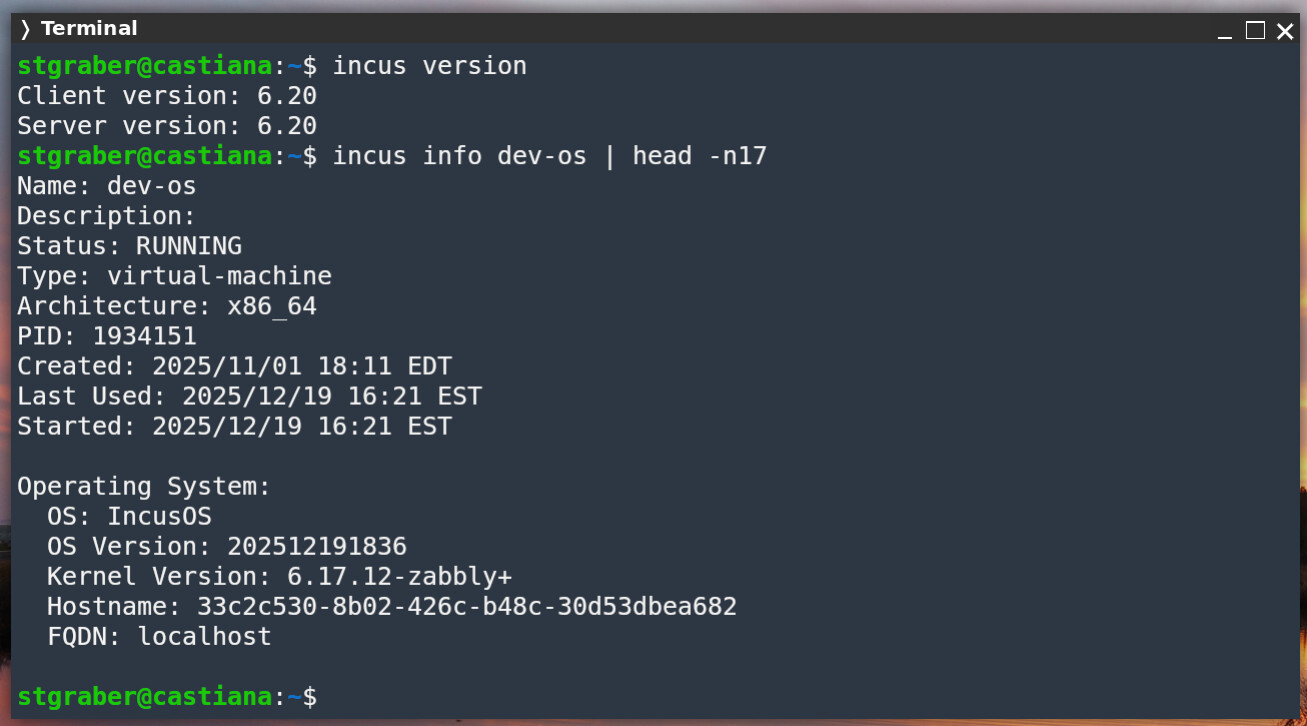
いつものように、オンラインでご自身で試せます: https://linuxcontainers.org/incus/try-it/
Enjoy!
新機能 
クラスター化 LVM 上の QCOW2 フォーマットのボリューム 
LVM クラスター上の Incus の実装における厄介な制限は、VM スナップショットが、すべての LVM バージョンで確実に動作しないということでした。
新しい LVM バージョンでは、アクティベーションモードの制限が導入され、共有ロックモードが使えなくなり、ライブマイグレーションが実行できなくなっていました。
Incus 6.18 では、クラスター化 LVM 上で実行されているすべてのブロックボリュームのスナップショットを事実上オフにすることで、一貫したユーザーエクスペリエンスを実現し、ユーザーがオペレーションシステムを新しいメジャーバージョンにアップグレードする際の問題を回避しました。
Incus では、ついにクラスター化 LVM でのスナップショットの新しいソリューションを実装しました。このソリューションでは、LV に標準の RAW フォーマットではなく、QCOW2 フォーマットを使用します。これにより、LVM LV の構成をマニュアルで扱い、正しい VM 状態に至るスナップショットチェーンを作成できるようになります。
新しいフォーマットは、新しい VM で自動的に使われます。既存の VM は RAW ディスクフォーマットのままであるため、スナップショットはサポートされません。インスタンスを別のストレージプールに移動させ、その後もとに戻すことで、QCOW2 に変換できます。
ドキュメント : https://linuxcontainers.org/incus/docs/main/reference/storage_lvm/
スタンドアローンの incus cluster join コマンド 
この機能は IncusOS 由来の機能で、Incus とのすべてのやりとりは Incus コマンドラインまたは UI を使ってリモートで実行する必要があります。ユーザーは incus cluster enable を使って、リモートから新しいクラスターを初期化できましたが、追加で IncusOS サーバーをそのクラスターに参加させるのはかなり困難でした。
この作業を可能な限り簡単にするため、新たに incus cluster join コマンドが追加されました。このコマンドは、既存のクラスターと参加するサーバーの両方を引数として指定します。そして、サーバーがクラスターに参加できるように incus admin init コマンドと同様な質問が表示されます。
stgraber@castiana:~$ incus cluster join incus01: incus02:
What IP address or DNS name should be used to reach this server? [default=10.244.64.185]:·
What member name should be used to identify this server in the cluster? [default=eb7bbd3f-d385-4a06-919f-d66a7c52b058]: incus02
All existing data is lost when joining a cluster, continue? (yes/no) [default=no] yes
Choose "source" property for storage pool "local": local/incus
Choose "zfs.pool_name" property for storage pool "local": local/incus

stgraber@castiana:~$ incus cluster list incus01:
+---------+----------------------------+------------------+--------------+----------------+-------------+--------+-------------------+
|  NAME   |            URL             |      ROLES       | ARCHITECTURE | FAILURE DOMAIN | DESCRIPTION | STATUS |      MESSAGE      |
+---------+----------------------------+------------------+--------------+----------------+-------------+--------+-------------------+
| incus01 | https://10.244.64.183:8443 | database-leader  | x86_64       | default        |             | ONLINE | Fully operational |
|         |                            | database         |              |                |             |        |                   |
+---------+----------------------------+------------------+--------------+----------------+-------------+--------+-------------------+
| incus02 | https://10.244.64.185:8443 | database-standby | x86_64       | default        |             | ONLINE | Fully operational |
+---------+----------------------------+------------------+--------------+----------------+-------------+--------+-------------------+

stgraber@castiana:~$ incus cluster join incus01: incus03:
What IP address or DNS name should be used to reach this server? [default=10.244.64.60]:·
What member name should be used to identify this server in the cluster? [default=ef50a39f-289d-46c4-989f-9466f8f8ae58]: incus03
All existing data is lost when joining a cluster, continue? (yes/no) [default=no] yes
Choose "source" property for storage pool "local": local/incus
Choose "zfs.pool_name" property for storage pool "local": local/incus

stgraber@castiana:~$ incus cluster list incus01:
+---------+----------------------------+-----------------+--------------+----------------+-------------+--------+-------------------+
|  NAME   |            URL             |      ROLES      | ARCHITECTURE | FAILURE DOMAIN | DESCRIPTION | STATUS |      MESSAGE      |
+---------+----------------------------+-----------------+--------------+----------------+-------------+--------+-------------------+
| incus01 | https://10.244.64.183:8443 | database-leader | x86_64       | default        |             | ONLINE | Fully operational |
|         |                            | database        |              |                |             |        |                   |
+---------+----------------------------+-----------------+--------------+----------------+-------------+--------+-------------------+
| incus02 | https://10.244.64.185:8443 | database        | x86_64       | default        |             | ONLINE | Fully operational |
+---------+----------------------------+-----------------+--------------+----------------+-------------+--------+-------------------+
| incus03 | https://10.244.64.60:8443  | database        | x86_64       | default        |             | ONLINE | Fully operational |
+---------+----------------------------+-----------------+--------------+----------------+-------------+--------+-------------------+
stgraber@castiana:~$
VM エージェントの設定ファイル 
Incus エージェントを通して実行できるアクションの種類が制限できるようになりました。これは、有効な機能をリストしたシステム設定ファイルを通して行います。ファイルが存在し、機能リストが存在する場合、明示的に有効化されない限り、すべての機能が無効化されます。
ドキュメント : https://linuxcontainers.org/incus/docs/main/howto/instances_create/#configure-the-incus-agent
Reverse DNS records in OVN
非常に小さな機能ですが、非常に役立つ機能の追加です。OVN で実行しているすべてのインスタンスで、そのインスタンスのアドレスに対して DNS の正引きと逆引きレコードの両方が生成されるようになりました。
stgraber@castiana:~ (incus:dev-cluster/default)$ incus list c
+------+---------+--------------------+-----------------------------------------------+-----------+-----------+----------+
| NAME |  STATE  |        IPV4        |                     IPV6                      |   TYPE    | SNAPSHOTS | LOCATION |
+------+---------+--------------------+-----------------------------------------------+-----------+-----------+----------+
| c1   | RUNNING | 10.20.162.2 (eth0) | fd42:e9ac:c3e5:65f:1266:6aff:fef6:b217 (eth0) | CONTAINER | 0         | incus01  |
+------+---------+--------------------+-----------------------------------------------+-----------+-----------+----------+
| c2   | RUNNING | 10.20.162.3 (eth0) | fd42:e9ac:c3e5:65f:1266:6aff:fea4:5936 (eth0) | CONTAINER | 0         | incus02  |
+------+---------+--------------------+-----------------------------------------------+-----------+-----------+----------+
stgraber@castiana:~ (incus:dev-cluster/default)$ incus exec c1 bash
root@c1:~# host c2.incus
c2.incus has address 10.20.162.3
c2.incus has IPv6 address fd42:e9ac:c3e5:65f:1266:6aff:fea4:5936
Host c2.incus not found: 3(NXDOMAIN)
Host c2.incus not found: 3(NXDOMAIN)
root@c1:~# host 10.20.162.3
3.162.20.10.in-addr.arpa domain name pointer c2.incus.
root@c1:~# host fd42:e9ac:c3e5:65f:1266:6aff:fea4:5936
6.3.9.5.4.a.e.f.f.f.a.6.6.6.2.1.f.5.6.0.5.e.3.c.c.a.9.e.2.4.d.f.ip6.arpa domain name pointer c2.incus.
root@c1:~#
すべての変更点 
このリリースのすべての変更のリストは次の通りです(翻訳なし):
すべてのChangeLogを見る
- Translated using Weblate (Portuguese)
- agent-loader/install-linux.sh Fix SELinux issue with agent run path
- incusd/device/nic: Fix link to instances-limit-units
- doc: fix instances-limit-units reference links
- Added default environment variables for the Windows agent.
- instance/drivers/driver_common: Fix cat order bug in selinuxContext()
- Added translation using Weblate (Swedish)
- Translated using Weblate (Swedish)
- Translated using Weblate (Swedish)
- incusd/instance/lxc: Generate a stable MAC for managed physical bridged networks
- Translated using Weblate (Chinese (Simplified Han script))
- Translated using Weblate (Swedish)
- Added new Windows environment variable 'SystemDrive'
- incus/create: Allow reading Ephemeral flag from stdin
- incusd/device/nic_physical: Fix VLAN for VMs
- Translated using Weblate (Swedish)
- Translated using Weblate (Japanese)
- Translated using Weblate (Japanese)
- Translated using Weblate (Japanese)
- incusd/network/bridge: Don't listen for incoming RAs
- incusd/network/zone: Allow trailing dot in NS records
- incusd/device/physical: Allow live-migration of bridged physical NICs
- shared/tls: Move ACME challenge to shared/tls
- internal/server/acme: Update certificate renewal call
- incusd/instance/qemu: Don't attempt agent connections on frozen VMs
- incusd/instance/qemu: Rework state reporting
- Translated using Weblate (Chinese (Simplified Han script))
- incusd/operations: Return a copy of the metadata to avoid concurrent access
- Attempt to make the Incus Agent on Windows better integrated.
- incusd/instance/qemu: Fix regression in reported state
- Translated using Weblate (Japanese)
- gomod: Update dependencies
- gomod: Get latest umoci
- build(deps): bump actions/upload-artifact from 5 to 6
- incus/io: #2636 fix linter complaints in
internal/io - generate-database: Allow overwriting the target column for a join
- incusd/storage_volumes: Fix state handling in getVolumeFull
- internal/jmap: Refactor Map methods and add comprehensive tests
- shared/tls: implement Happy Eyeballs (RFC 8305) in RFC3493Dialer
- incusd/devices/tpm: Make incompatible with live-migration
- incus/util: #2636 fix linter complaints in
internal/filter - incus/network_load_balancer: Fix typo in cmd info description
- i18n: Update translation templates
- api: Add storage_lvmcluster_qcow2 extension
- incusd/storage/drivers: Add utils for qcow2 manipulation
- incusd/instance/drivers: Add qcow2 block device utility functions
- incusd/storage/drivers: Add 'block.type' config and additional validation checks
- incusd/storage: Implement the creation of qcow2 formatted volumes when on lvmcluster
- incusd/instance/drivers/qmp: Add QueryNamedBlockNodes and ChangeBackingFile
- incusd/storage/drivers: Add support for activating and deactivating qcow2-formatted volumes
- incusd/storage/drivers: Add support for the qcow2 config filesystem snapshots
- incusd/storage/drivers: Add support for creating and renaming qcow2 volume snapshots
- incusd/storage/drivers: Add GetQcow2BackingFilePath and Qcow2DeletionCleanup
- incusd/device/config: Add 'BackingPath' to track backing chain for qcow2 volumes
- incusd/storage: Add 'BackingPath' to track backing chain for qcow2 volumes
- incusd/storage: Add support for creating, renaming, restoring and deleting qcow2 instance volumes
- incusd/instance/drivers: Add support for running instances from a backing chain
- incusd/instance: Add support for creating/deleting qcow2 snapshots while instance is running
- incusd/storage/drivers: Show config filesystem only for FS volumes
- incusd/storage/lvmcluster: Fix activation for containers
- incusd/storage/lvm: Fix handling of stripe size config
- incusd/storage/lvmcluster: Set block.filesystem to btrfs
- incusd/storage: Don't add new volume options on snapshot
- incusd/storage/drivers/types: Fix gofumpt
- doc: Update metadata
- incusd/cluster: Add missing project handling to ConnectIfVolumeIsRemote
- incusd/storage_volumes: Handle remote volumes in recursion=2
- incusd/storage/lvm: Fix incorrect activation mode
- incus/storage: Take project into account during qcow2 operation
- shared/api: add comprehensive unit tests for URL builder
- Translated using Weblate (Portuguese)
- incus/admin/init: Prepare code for adding initialized server to cluster
- incus/cluster: Add 'cluster join' command
- i18n: Update translation templates
- incus-agent: Code cleanup
- incus-agent: Add OS config path
- incus-agent: Add system configuration support
- incus-agent: Add feature checks
- doc/instances: Cover incus-agent configuration
- doc/bpf-tokens: Fix markdown
- gomod: Update dependencies
- incus/file: Improve error messages
- i18n: Update translation templates
- doc/network/firewall: Remove warning against IP forward and Docker
- incusd/storage: Generate a clean backup.yaml after a backup is generated
- incusd/api_buckets: Provide fastpath for miniod access
- incusd: Move ReverseDNS to util
- incusd/network/ovn: Set PTR records
- doc/openfga: Clarify required config keys
- incusd/storage/linstor: Disable volume copie with snapshots
- tests: Update tests for Linstor limitation
ドキュメント
Incus のドキュメントはこちらです:
https://incus-ja.readthedocs.io/ja/latest/ (日本語訳)
https://linuxcontainers.org/incus/docs/main/ (原文)
パッケージ 
Incus の開発元は、通常リリースの tarball のみをリリースするため、公式の Incus パッケージはありません。Incus を実行するために使えるオプションを以下にいくつか示します。
Linux 上に Incus サーバーをインストールする 
Incus はほとんどの一般的な Linux ディストリビューションで利用できます。インストール手順の詳細は、Incus のドキュメントを参照してください。
https://incus-ja.readthedocs.io/ja/latest/installing/ (日本語訳)
https://linuxcontainers.org/incus/docs/main/installing/ (原文)
Incus クライアントの Homebrew パッケージ 
Homebrew 経由で、Linux と macOS 向けにクライアントツールが利用できます。
https://formulae.brew.sh/formula/incus
Incus クライアントの Chocolatey パッケージ 
Chocolatey 経由で、Windows ユーザー向けにクライアントツールが利用できます。
https://community.chocolatey.org/packages/incus/6.20.0
Incus クライアントの Winget パッケージ 
Winget 経由で、Windows ユーザー向けにクライアントツールが利用できます。
https://winstall.app/apps/LinuxContainers.Incus
サポート 
月次のフィーチャーリリースは、次のリリースがリリースされるまでのみサポートされます。より長いサポート期間と少ない変更頻度が必要な場合、代わりに Incus 6.0 LTS の使用を検討すべきです。
コミュニティサポートはこちらから : https://discuss.linuxcontainers.org
商用サポートはこちらから : https://zabbly.com/incus
バグはこちらから報告できます : https://github.com/lxc/incus/issues