
Incus 6.15 リリースのお知らせ
2025/08/01
はじめに 
Incus チームは、Incus 6.15 のリリースのアナウンスができてうれしいです!
このリリースは、アプリケーションコンテナに対する改良、VM、クラスタリング、ネットワーキング、さらにはいくつかの CLI の機能強化など、色々なものが少しずつ含まれたリリースです。
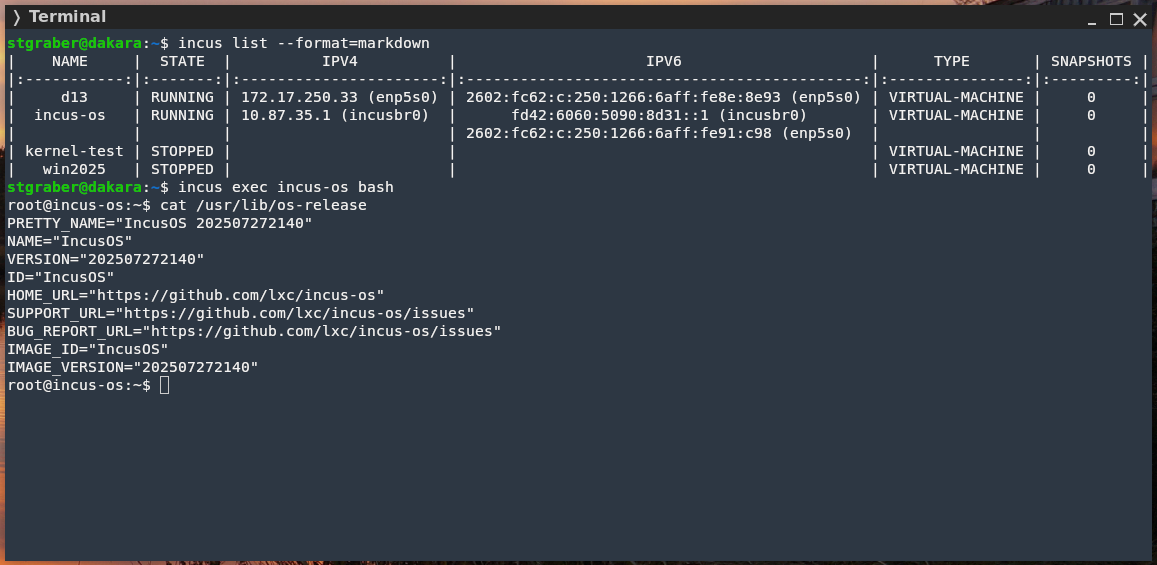
いつものように、オンラインでご自身で試せます: https://linuxcontainers.org/incus/try-it/
注目すべきは、Incus OS の開発も順調に進み、オンラインデモ環境の実行に使えるようになったということです。新しいダウンロードツールも作成しました。手順はこちらでご覧いただけます。
Enjoy!
新機能
OCI レジストリーの認証サポート 
Incus は、OCI レジストリーとのやりとりでクレデンシャルヘルパーの使用をサポートするようになりました。関連するヘルパーは、 incus remote add の新しい引数である --credentials-helper で指定できます。
stgraber@dakara:~$ incus remote add oci-demo https://northamerica-northeast1-docker.pkg.dev/stgraber-1525358518329/test-registry --protocol=oci --credentials-helper=docker-credential-gcloud·
stgraber@dakara:~$ incus image info oci-demo:alpine:latest
Fingerprint: ec1b05d1eac264d9204a57f4ad9d4dc35e9e756e9fedaea0674aefc7edb1d6a4
Size: 3.47MiB
Architecture: x86_64
Type: container
Public: yes
Timestamps:
    Created: 2025/02/13 22:28 EST
    Uploaded: 2025/02/13 22:28 EST
    Expires: never
    Last used: never
Properties:
    description: northamerica-northeast1-docker.pkg.dev/stgraber-1525358518329/test-registry/alpine (OCI)
    id: alpine:latest
    type: oci
    architecture: x86_64
Aliases:
    - alpine:latest
Cached: no
Auto update: disabled
Profiles: []
ロギングターゲットとしての Webhook 
最近、ロギングサブシステムの刷新に着手し、多様なフィルターを備えた複数のロガーをサポートしました。その一環として、既存の Loki サポートとともに、syslog サポートも導入しました。
今回のリリースでは、さらにもう 1 つのログインターゲットとして、シンプルな Webhook を追加しました。Webhook ロガーは、他の 2 つのロガーと同じ選択とフィルタリングオプションをサポートし、マッチしたイベントを JSON 形式でターゲットに送信します。JSON の構文はイベント API で使われているものと同じです。
stgraber@dakara:~$ incus config set logging.demo.target.address=http://127.0.0.1:8080/hook
stgraber@dakara:~$ incus config set logging.demo.target.type=webhook
これにより、ターゲットサーバーは次のようなイベントの受信を開始します:
POST /hook (application/json, 231 bytes)
{"type":"lifecycle","timestamp":"2025-07-31T23:34:12.714974583-04:00","metadata":{"action":"config-updated","source":"/1.0","requestor":{"username":"stgraber","protocol":"unix","address":"@"}},"location":"none","project":"default"}
ドキュメント: https://linuxcontainers.org/incus/docs/main/server_config/#server-options-logging
メモリーホットプラグの動作のより細かなコントロール 
いくつか前のリリースで、仮想マシンにメモリホットプラグを導入しました。
これに伴い、ホットプラグを通して VM に割り当てできる最大のメモリー量を決定する際に、いくつか問題が発生しました。
これは、少し扱いづらい可能性があります。物理的な制限(物理メモリーと仮想メモリーのアドレス空間サイズ)が存在すると同時に、正確に予測できないオーバーヘッドが存在するためです。過去数回のリリースで、ロジックをかなり調整し、大多数のユーザーにとって概ね正常に動作するようになっています。
そうはいっても、ホットプラグ可能なメモリー量を細かく制御する機能や、状況によってはこの機能を完全に無効化する機能も提供することが有益であることがわかりました。
そこで、インスタンス設定キー limits.memory.hotplug を導入しました。このキーには、VM にホットプラグされたメモリーを含むトータルのメモリー量を指定できます。0 に設定すると、この機能は完全に無効化されます。
stgraber@dakara:~$ incus config set d13 limits.memory.hotplug=0
stgraber@dakara:~$ incus start d13
stgraber@dakara:~$ incus config set d13 limits.memory=2GiB
Error: Failed updating memory limit: Memory hotplug feature is disabled
VM での永続的な CD-ROM 取り出し 
ゲスト OS で CD-ROM が取り出されたかどうかを追跡できるようになりました。
これは disk デバイスの新しい attached プロパティを通して行われ、メディアの取り出し後に自動的に false にセットされます。
stgraber@dakara:~$ incus config device add d13 virtio disk pool=default source=virtio-drivers
Device virtio added to d13

stgraber@dakara:~$ incus config show d13
architecture: x86_64
config:
  image.architecture: amd64
  image.description: Debian trixie amd64 (20250731_05:24)
  image.os: Debian
  image.release: trixie
  image.serial: "20250731_05:24"
  image.type: disk-kvm.img
  image.variant: default
  volatile.base_image: 340aab0e87de46062c1363cab4beb7d30d0474adceca5bf450b5162d8c2cc2c5
  volatile.cloud-init.instance-id: 5a79a550-143d-4db0-a223-74191e968ea3
  volatile.eth0.host_name: tap8ca1eb54
  volatile.eth0.hwaddr: 10:66:6a:8e:8e:93
  volatile.last_state.power: RUNNING
  volatile.uuid: af7f680b-7824-47ca-be9a-9189881ade90
  volatile.uuid.generation: af7f680b-7824-47ca-be9a-9189881ade90
  volatile.vm.definition: pc-q35-10.0
  volatile.vm.rtc_adjustment: "0"
  volatile.vm.rtc_offset: "-1"
  volatile.vsock_id: "1524898578"
devices:
  virtio:
    pool: default
    source: virtio-drivers
    type: disk
ephemeral: false
profiles:
- default
stateful: false
description: ""

stgraber@dakara:~$ incus exec d13 -- eject /dev/cdrom

stgraber@dakara:~$ incus config show d13
architecture: x86_64
config:
  image.architecture: amd64
  image.description: Debian trixie amd64 (20250731_05:24)
  image.os: Debian
  image.release: trixie
  image.serial: "20250731_05:24"
  image.type: disk-kvm.img
  image.variant: default
  volatile.base_image: 340aab0e87de46062c1363cab4beb7d30d0474adceca5bf450b5162d8c2cc2c5
  volatile.cloud-init.instance-id: 5a79a550-143d-4db0-a223-74191e968ea3
  volatile.eth0.host_name: tap8ca1eb54
  volatile.eth0.hwaddr: 10:66:6a:8e:8e:93
  volatile.last_state.power: RUNNING
  volatile.uuid: af7f680b-7824-47ca-be9a-9189881ade90
  volatile.uuid.generation: af7f680b-7824-47ca-be9a-9189881ade90
  volatile.vm.definition: pc-q35-10.0
  volatile.vm.rtc_adjustment: "0"
  volatile.vm.rtc_offset: "-1"
  volatile.vsock_id: "1524898578"
devices:
  virtio:
    attached: "false"
    pool: default
    source: virtio-drivers
    type: disk
ephemeral: false
profiles:
- default
stateful: false
description: ""
ドキュメント : https://linuxcontainers.org/incus/docs/main/reference/devices_disk/#devices-disk:attached
VM ディスクデバイスの設定可能な WWN 
かなりニッチな機能ですが、VM ディスクデバイスのワールドワイドネーム(WWN)を設定できるようになりました。これは virtio-scsi バスにアタッチされているときだけサポートされます。
これは、物理 LUN やディスクを VM 内にパススルー接続するとき、一部のアプリケーションで役立つかもしれません。またこの機能は、複数のディスクを同じ WWN に設定することで、VM 内のストレージマルチパスをテストする方法としても使用できます。
stgraber@dakara:~$ incus launch images:debian/13 d13 --vm
Launching d13
stgraber@dakara:~$ incus storage volume create default demo --type=block
Storage volume demo created
stgraber@dakara:~$ incus config device add d13 demo disk pool=default source=demo wwn=0x50014ee20ce3848a
Device demo added to d13
stgraber@dakara:~$ incus exec d13 bash
root@d13:~# ls -lh /dev/disk/by-id/wwn-0x50014ee20ce3848a·
lrwxrwxrwx 1 root root 9 Aug  1 03:49 /dev/disk/by-id/wwn-0x50014ee20ce3848a -> ../../sdb
ドキュメント : https://linuxcontainers.org/incus/docs/main/reference/devices_disk/#devices-disk:wwn
ダイナミック IPv6 ネットワークアドレス 
非常に限定的なユースケースのみに関係する、もう 1 つの小さな新機能です。
クラスターを実行しているとき、OVN コントロールプレーン、Ceph コンポーネント、モニタリングスタックなど、複数のサポートサービスを実行する必要があることがよくあります。
これらのサービスを適切に動作させるには、クラスター内のすべてのサーバーから均等にアクセス可能であり、さらにメンテナンスとサーバー障害の両方に対応できるように、サーバー間で簡単に再配置可能である必要があります。通常は、これは物理ネットワーク上にルーターを設置し、すべてのサーバーからアクセス可能なように VLAN を提供することで実現できますが、すべての環境で実現できるとは限りません。
そこで私たちの解決策は、クラスター内に通常のブリッジネットワークを作成し、既存のマルチキャスト VXLAN サポートと組み合わせることで、クラスター全体で利用できる非常に軽量な仮想ネットワークを構築することでした。
するとアドレス割り当ての問題が発生します。かなりのサーバー間の調整が必要になるため、通常の IPv4 DHCP を実行できません。しかし、MAC アドレスから生成される IPv6 SLAAC は使用できます。
しかし、これを正しく動作させるには、各サーバーがブリッジに対して異なる MAC アドレスを使用し、さらに重要なことに、同一サブネット内で異なる IPv6 アドレスを使用する必要があることです。
これを実現するために、ipv6.address の構文を拡張し、サブネットのみを指定できるようにしました。この場合、サーバーはブリッジ固有な MAC アドレスを生成し、そこから EUI64 を使用して自身の IPv6 アドレスを生成します。
この結果、次のようになります:
root@server01:~# incus network create meshbr0 tunnel.mesh.interface=enp5s0 --target server01
Network meshbr0 pending on member server01
root@server01:~# incus network create meshbr0 tunnel.mesh.interface=enp5s0 --target server02
Network meshbr0 pending on member server02
root@server01:~# incus network create meshbr0 tunnel.mesh.interface=enp5s0 --target server03
Network meshbr0 pending on member server03
root@server01:~# incus network create meshbr0 tunnel.mesh.interface=enp5s0 --target server04
Network meshbr0 pending on member server04
root@server01:~# incus network create meshbr0 ipv4.address=none ipv6.address=fd42:1234:1234:1234::/64 ipv6.nat=false tunnel.mesh.protocol=vxlan
Network meshbr0 created

root@server01:~# incus launch images:debian/13 c1 --network meshbr0
Launching c1
root@server01:~# incus launch images:debian/13 c2 --network meshbr0
Launching c2
root@server01:~# incus launch images:debian/13 c3 --network meshbr0
Launching c3

root@server01:~# incus list
+------+---------+------+------------------------------------------------+-----------+-----------+----------+
| NAME |  STATE  | IPV4 |                      IPV6                      |   TYPE    | SNAPSHOTS | LOCATION |
+------+---------+------+------------------------------------------------+-----------+-----------+----------+
| c1   | RUNNING |      | fd42:1234:1234:1234:1266:6aff:fe60:6aa9 (eth0) | CONTAINER | 0         | server04 |
+------+---------+------+------------------------------------------------+-----------+-----------+----------+
| c2   | RUNNING |      | fd42:1234:1234:1234:1266:6aff:fef8:b9ef (eth0) | CONTAINER | 0         | server04 |
+------+---------+------+------------------------------------------------+-----------+-----------+----------+
| c3   | RUNNING |      | fd42:1234:1234:1234:1266:6aff:fe21:1203 (eth0) | CONTAINER | 0         | server01 |
+------+---------+------+------------------------------------------------+-----------+-----------+----------+
root@server01:~# incus exec c3 bash
root@c3:~# ping6 -n fd42:1234:1234:1234:1266:6aff:fe60:6aa9
PING fd42:1234:1234:1234:1266:6aff:fe60:6aa9 (fd42:1234:1234:1234:1266:6aff:fe60:6aa9) 56 data bytes
64 bytes from fd42:1234:1234:1234:1266:6aff:fe60:6aa9: icmp_seq=1 ttl=64 time=1.38 ms
^C
--- fd42:1234:1234:1234:1266:6aff:fe60:6aa9 ping statistics ---
1 packets transmitted, 1 received, 0% packet loss, time 0ms
rtt min/avg/max/mdev = 1.375/1.375/1.375/0.000 ms
CLI で設定可能なキープアライブモード 
Incus CLI には、少し前からキープアライブモードが搭載されていました。
これにより、CLI が終了したあとも、リモートの Incus サーバーとの接続をアクティブに保てるので、後続のコマンドの実行が大幅に向上します。
リモートサーバーを追加する際、バックグラウンドプロセスに対するタイムアウトを --keepalive 引数に渡すことで、この機能を有効にできるようになりました。
stgraber@dakara:~$ incus remote add cloud https://shf.cloud.zabbly.com --keepalive=30
URL: https://sso.zabbly.com/realms/master/device?user_code=WGSI-NFRG
Code: WGSI-NFRG

stgraber@dakara:~$ incus list cloud: --project demo
+-----------+---------+-------------------------+---------------------------------------------------+-----------------+-----------+----------+
|   NAME    |  STATE  |          IPV4           |                       IPV6                        |      TYPE       | SNAPSHOTS | LOCATION |
+-----------+---------+-------------------------+---------------------------------------------------+-----------------+-----------+----------+
| haproxy01 | RUNNING | 45.45.148.243 (eth0)    | 2602:fc62:b:8006:216:3eff:fe27:a8f4 (eth0)        | CONTAINER       | 0         | delmak   |
|           |         | 10.22.45.7 (eth0)       | 2602:fc62:b:8006:1::1 (eth0)                      |                 |           |          |
+-----------+---------+-------------------------+---------------------------------------------------+-----------------+-----------+----------+
| ic-test   | RUNNING | 10.47.238.2 (eth0)      | fd42:4a11:5600:6807:216:3eff:feb5:2c79 (eth0)     | CONTAINER       | 0         | chulak   |
+-----------+---------+-------------------------+---------------------------------------------------+-----------------+-----------+----------+
| server01  | RUNNING | 10.46.12.1 (br-managed) | fd42:ea64:f916:62b0::1 (br-managed)               | VIRTUAL-MACHINE | 0         | chulak   |
|           |         | 10.22.45.3 (enp5s0)     | fd42:1234:1234:1234:1266:6aff:fe6b:48d2 (meshbr0) |                 |           |          |
|           |         |                         | 2602:fc62:b:8006:216:3eff:fe1a:ed0d (enp5s0)      |                 |           |          |
+-----------+---------+-------------------------+---------------------------------------------------+-----------------+-----------+----------+
| server02  | RUNNING | 10.46.12.1 (br-managed) | fd42:ea64:f916:62b0::1 (br-managed)               | VIRTUAL-MACHINE | 0         | chulak   |
|           |         | 10.22.45.4 (enp5s0)     | fd42:1234:1234:1234:1266:6aff:fea1:6d39 (meshbr0) |                 |           |          |
|           |         |                         | 2602:fc62:b:8006:216:3eff:fe56:5276 (enp5s0)      |                 |           |          |
+-----------+---------+-------------------------+---------------------------------------------------+-----------------+-----------+----------+
| server03  | RUNNING | 10.46.12.1 (br-managed) | fd42:ea64:f916:62b0::1 (br-managed)               | VIRTUAL-MACHINE | 0         | chulak   |
|           |         | 10.22.45.5 (enp5s0)     | fd42:1234:1234:1234:1266:6aff:fe14:8b09 (meshbr0) |                 |           |          |
|           |         |                         | 2602:fc62:b:8006:216:3eff:fec6:eaa8 (enp5s0)      |                 |           |          |
+-----------+---------+-------------------------+---------------------------------------------------+-----------------+-----------+----------+
| server04  | RUNNING | 10.46.12.1 (br-managed) | fd42:ea64:f916:62b0::1 (br-managed)               | VIRTUAL-MACHINE | 0         | chulak   |
|           |         | 10.22.45.6 (enp5s0)     | fd42:1234:1234:1234:1266:6aff:fef0:2a72 (meshbr0) |                 |           |          |
|           |         |                         | 2602:fc62:b:8006:216:3eff:fea3:6d (enp5s0)        |                 |           |          |
+-----------+---------+-------------------------+---------------------------------------------------+-----------------+-----------+----------+

stgraber@dakara:~$ ps aux | grep remote.*proxy
stgraber 1411159  0.1  0.0 6258948 26704 ?       Ssl  00:19   0:00 incus remote proxy cloud /home/stgraber/.config/incus/keepalive/cloud.socket --timeout=30
CLI の出力フォーマットでの Markdown サポート 
リスト出力を直接 Markdown フォーマットで直接出力できるようになりました。ドキュメントやこのサイトに組み込むのが簡単になりました。
stgraber@dakara:~$ incus list --format=markdown
|    NAME     |  STATE  |          IPV4          |                     IPV6                     |      TYPE       | SNAPSHOTS |
|:-----------:|:-------:|:----------------------:|:--------------------------------------------:|:---------------:|:---------:|
|     d13     | RUNNING | 172.17.250.33 (enp5s0) | 2602:fc62:c:250:1266:6aff:fe8e:8e93 (enp5s0) | VIRTUAL-MACHINE |     0     |
|  incus-os   | RUNNING | 10.87.35.1 (incusbr0)  |      fd42:6060:5090:8d31::1 (incusbr0)       | VIRTUAL-MACHINE |     0     |
|             |         |                        | 2602:fc62:c:250:1266:6aff:fe91:c98 (enp5s0)  |                 |           |
| kernel-test | STOPPED |                        |                                              | VIRTUAL-MACHINE |     0     |
|   win2025   | STOPPED |                        |                                              | VIRTUAL-MACHINE |     0     |
The markdown rendered version of this looks like:
| NAME | STATE | IPV4 | IPV6 | TYPE | SNAPSHOTS |
|---|---|---|---|---|---|
| d13 | RUNNING | 172.17.250.33 (enp5s0) | 2602:fc62:c:250:1266:6aff:fe8e:8e93 (enp5s0) | VIRTUAL-MACHINE | 0 |
| incus-os | RUNNING | 10.87.35.1 (incusbr0) | fd42:6060:5090:8d31::1 (incusbr0) | VIRTUAL-MACHINE | 0 |
| 2602:fc62:c:250:1266:6aff:fe91:c98 (enp5s0) | |||||
| kernel-test | STOPPED | VIRTUAL-MACHINE | 0 | ||
| win2025 | STOPPED | VIRTUAL-MACHINE | 0 |
サーバーサイドフィルタリングの追加 
このリリースで、API オブジェクトのサーバーサイドフィルタリングに対する CLI サポートが完成しました。
次の 2 つのコマンドでフィルタリングがサポートされるようになりました:
incus cluster listincus storage list
ネットワーク設定で netlink を使用するように変更 
これは新機能ではありません。しかしかなり大きな変更点です。
このリリースで、iproute2 コマンド(ip、tc など)を使ったすべての呼び出しを、すべて netlink API を通して Linux カーネルと直接やりとりするように変更しました。
これにより、オーバーヘッドが大幅に削減され、ツールのさまざまなバージョンに対応する必要がなくなりました。しかし、この手の大きな変更にはリグレッションのリスクが伴います。
このような理由で、6.14 リリース直後に変更を行い、リグレッションの検出と修正に丸々 1 ヶ月の期間を設けました。これまでに 6 件のリグレッションを検出し、すべてを解決しました。しかし、テストで検出できなかったリグレッションがまだ存在する可能性があります。
ネットワークインターフェースやルーティングの設定に関して、リグレッションやふるまいの変化に気づいた場合はお知らせください。調査します。
すべての変更点 
このリリースのすべての変更のリストは次の通りです(翻訳なし):
すべてのChangeLogを見る
- api: disk_attached
- incusd/ip/utils: Switch to netlink
- incusd/ip/addr: Switch to netlink
- incusd/ip/class: Switch to netlink
- incusd/ip/filter: Switch to netlink
- incusd/ip/link: Switch to netlink
- incusd/ip/neigh: Switch to netlink
- incusd/ip/neigh_proxy: Switch to netlink
- incusd/ip/qdisc: Switch to netlink
- incusd/ip/route: Switch to netlink
- incusd/ip/tuntap: Switch to netlink
- incusd/ip/vdpa: Switch to vishvananda/netlink library instead of doing netlink ourselves
- incusd/ip: Refactor family from string to
Familytype - incusd/ip: Merge GetLinkInfoByName and LinkFromName into LinkByName
- Use net.IP and net.IPNet instead of strings
- incusd/instance/qemu: On standalone systems, cap hotplug memory to system
- generate-database: Add create_timestamp and update_timestamp
- incusd/ip: Ignore ESRCH on route deletion
- incusd/ip: All multicast needs to be configured as a flag
- incusd/patches: Fix empty JSON columns
- incusd/instance/qemu: Fix memory calculation logic
- shared/idmap: Skip ACLs that are out of range
- incusd/device/nic_ovn: Fix bad check
- incusd/ip: Fix TC regressions
- incusd/device/nic_ovn: Allow specifying static IPv4/IPv6 when DHCP is disabled
- incusd/storage/lvm: Don't rely on udev paths
- cmd/incus_agent: Replace gorilla/mux with http.ServeMux
- client: Fixed non-constant format string in call to fmt.Errorf
- incusd/instance/qmp/log: Don't crash on log Write calls after Close
- incusd: Cluster join, ensure server address
- incusd: Cluster join, check cluster.https_address
- incusd: Centralize check for node specific network config
- incusd: Make network config keys node specific
- incusd/ip: All multicast needs to be configured after link creation
- doc: Pin a working version of the sphinx extensions
- incusd/instance/lxc: Fix usage reporting on relative disks
- internal/instance: Introduce SplitVolumeSource
- incusd: Use SplitVolumeSource
- cli/list: Add markdown format support
- i18n: Updated format argument descriptions
- cmd/list: Crude tablewriter error handling
- incus/project/get-current: Rely on server reported project
- incus/remote: Support keepalive flag
- i18n: Update translation templates
- i18n: Manual translation update
- Translated using Weblate (Portuguese)
- incusd/cluster/config: Update certificate also on change of acme.http.port
- incusd/instance_logs: Perform stricter path validation
- [lxd-import] lxd/daemon: Validate browser fetch metadata if supplied to reject non-same-origin requests
- [lxd-import] test/suites/serverconfig: Check fetch metadata header is validated
- incusd/dev_incus: Add extra validation for monitor
- incusd/device/disk: Add attached configuration key
- incusd/instance/qemu: Refactor qmp.Connect calls
- incusd/instance/qemu: Handle attached state statically
- incusd/images: Restrict public image listing to default project
- incusd/images: Use identical errors for all not-found cases on public endpoints
- internal/util: Add recursion limit to RenderTemplate
- internal/util: Tweak common pongo2 parser to block dangerous functions
- incus/list: Fix validation of 'L' shorthand column
- tests: only run tests if ovn is available
- incus/server: fix scan order
- incusd/instance/qemu: Rework ejection logic and pass ejection handler
- incusd/device/disk: Add live attach/detach logic
- doc: Update metadata
- incusd/instance/qemu: Add indirection level to detachDisk
- incusd/instance/agent-loader: Use ISO label rather than disk id
- incusd/storage: Fix ISO renaming
- incusd/project: Skip processing 'limits.processes' for VM instance types
- incusd/instance: Add 'limits.memory.hotplug' config
- incusd/instance/drivers: Support for 'limits.memory.hotplug' config
- api: limits_memory_hotplug
- doc: Update configs
- incusd/device/config: Fix issue with live updating of user keys
- incusd/device/disk: Pass nil if read/write limits are not set
- incusd/instance/drivers: Prevent calling 'deviceAttachBlockDevice' on the root disk
- incusd/instance: Allow setting lxc.net config keys through raw.lxc
- incusd/apparmor/qemu: Allow reading gid_map/uid_map
- incusd/apparmor/qemuimg: Fix typo in rules
- doc/instances_create: Extend the Incus VM agent instructions
- client: Add GetClusterMembersWithFilter
- incusd/cluster: Add server-side filtering
- incus/cluster: Use server-side filtering
- doc/rest-api: Refresh swagger YAML
- client: Add GetStoragePoolsWithFilter
- incus/storage: Use server-side filtering
- i18n: Update translation templates
- incusd/ip: Fix filtering of routes by interface
- incusd/operations: Add IsSameRequestor
- incusd/instance_console: Ensure requestor match
- incusd/instance_exec: Ensure requestor match
- incusd/auth/openfga: Restrict operations and events access
- incusd/auth/openfga: Rebuild model
- incusd/db/network_peers: Fix querying of integrations
- api: disk_wwn
- shared/validate: Add IsWWN
- incusd/device/disk: Add wwn property
- incusd/instance/qemu: Add support for setting WWN
- doc: Update config
- Translated using Weblate (German)
- incusd/network/bridge: Allow automatic host-specific IPv6 addresses
- incusd/auth/oidc: Expose scopes list
- client: Use server-advertised OIDC scopes
- incusd/instance/qmp: Properly handle lost connections
- incusd/instance/qmp: Fix monitor failure test
- incusd/instance/qemu: Fix lifecycle events
- incus/remote: Add credentials helper support
- shared/cliconfig: Add support for credentials helper
- client/oci: Refactor skopeo logic and add credentials support
- i18n: Update translation templates
- incusd/device: Add IsPhysicalNICWithBridge and make hwaddr optional
- incusd/instance/drivers: Fill the MAC address for physical NIC with bridge parent
- api: server_logging_webhook
- incusd/logging/loki: Set default retry
- incusd/logging/webhook: Initial webhook logger
- doc: Update config
- doc/wordlist: Add webhook
- incusd/device/disk: prevent file mounts on VMs
- incusd/devices/disk: Improve documentation for the path key
- doc: Update metadata
- Translated using Weblate (Portuguese)
- doc: Sort word list
- tests: Bump cleanup timeouts
- tests/clustering: Use elif in driver conditions
- incusd/instance/qemu: Cleanup volume eject/detach logic
- incusd/db/images: Associate image with default profile from default project
- incusd/db/images: Set cached option for projects with 'features.images' disabled
- incus-agent: Handle path mount removal
- incus-agent/events: Remove fmt import
- test: Fix mountpoint detection logic
- incusd/instance/lxc: Only remove mountpoints in /dev
- shared/cliconfig: Introduce GetClientCertificate
- incus/remote: Use GetClientCertificate
- tests: Standardize indentation
- client: Add SkipGetEvents
- incusd: Consistently set SkipGetEvents and SkipGetServer
- client: Add configurable temp directory
- incusd/daemon_images: Set temporary image path
- gomod: Update dependencies
- incusd/auth/oidc: Update for current zitadel
ドキュメント 
Incus のドキュメントはこちらです:
https://incus-ja.readthedocs.io/ja/latest/ (日本語訳)
https://linuxcontainers.org/incus/docs/main/ (原文)
パッケージ 
Incus の開発元は、通常リリースの tarball のみをリリースするため、公式の Incus パッケージはありません。Incus を実行するために使えるオプションを以下にいくつか示します。
Linux 上に Incus サーバーをインストールする 
Incus はほとんどの一般的な Linux ディストリビューションで利用できます。インストール手順の詳細は、Incus のドキュメントを参照してください。
https://incus-ja.readthedocs.io/ja/latest/installing/ (日本語訳)
https://linuxcontainers.org/incus/docs/main/installing/ (原文)
Incus クライアントの Homebrew パッケージ 
Homebrew 経由で、Linux と macOS 向けにクライアントツールが利用できます。
https://formulae.brew.sh/formula/incus
Incus クライアントの Chocolatey パッケージ 
Chocolatey 経由で、Windows ユーザー向けにクライアントツールが利用できます。
https://community.chocolatey.org/packages/incus/6.15.0
Incus クライアントの Winget パッケージ 
Winget 経由で、Windows ユーザー向けにクライアントツールが利用できます。
https://winstall.app/apps/LinuxContainers.Incus
サポート 
月次のフィーチャーリリースは、次のリリースがリリースされるまでのみサポートされます。より長いサポート期間と少ない変更頻度が必要な場合、代わりに Incus 6.0 LTS の使用を検討すべきです。
コミュニティサポートはこちらから : https://discuss.linuxcontainers.org
商用サポートはこちらから : https://zabbly.com/incus
バグはこちらから報告できます : https://github.com/lxc/incus/issues