
Incus 6.22 リリースのお知らせ
2026/02/27
はじめに 
Incus チームは、Incus 6.22 のリリースのアナウンスができてうれしいです!
このリリースは、大量のバグ修正に加えて、全体的に多くの変更が加えられたかなり忙しいリリースです。きっとみなさんに満足いただけるはずです!
いつものように、オンラインでご自身で試せます: https://linuxcontainers.org/incus/try-it/
Enjoy!
新機能 
Windows エージェントの vsock サポート 
Windows 版の Incus VM エージェントを導入した当時は、Windows 用の Virtio Vsock ドライバーは、まだ Microsoft による署名を待っており、Windows の vsock に対する Go サポートはまったくありませんでした。
これらの問題は修正され、TCP ではなく vsock をトランスポートとして使用する Windows エージェントのビルドを開始できるようになりました。これは Linux での動作と一致しており、Incus が実行中の VM の IP アドレスを知らない環境や、VM の IP アドレスへの接続が許可されていない環境でも VM エージェントと通信できるようになります。
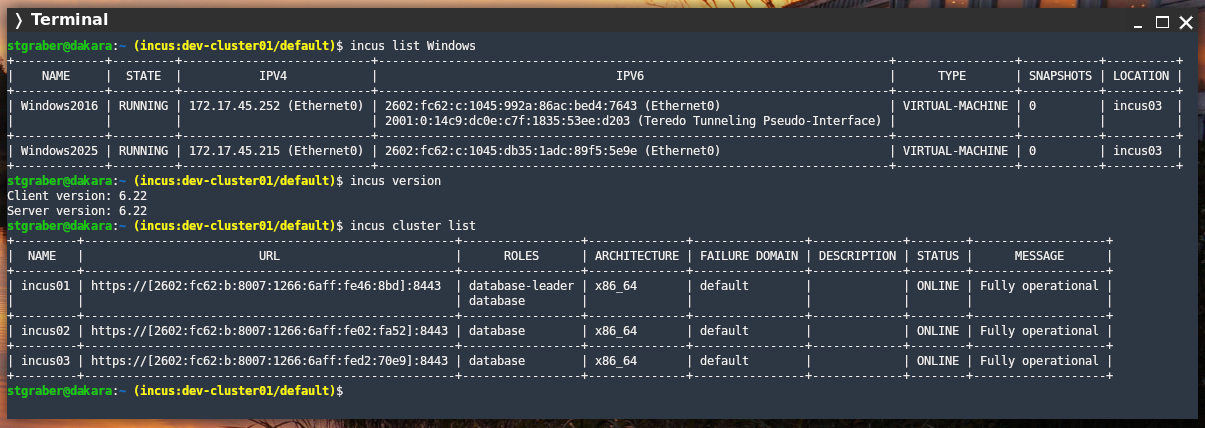
stgraber@castiana:~ (incus:dev-cluster01/default)$ incus list Windows
+-------------+---------+---------------------------+-------------------------------------------------------------------------+-----------------+-----------+----------+
|    NAME     |  STATE  |           IPV4            |                                  IPV6                                   |      TYPE       | SNAPSHOTS | LOCATION |
+-------------+---------+---------------------------+-------------------------------------------------------------------------+-----------------+-----------+----------+
| Windows2016 | RUNNING | 172.17.45.252 (Ethernet0) | 2602:fc62:c:1045:992a:86ac:bed4:7643 (Ethernet0)                        | VIRTUAL-MACHINE | 0         | incus03  |
|             |         |                           | 2001:0:14c9:dc0e:c7f:1835:53ee:d203 (Teredo Tunneling Pseudo-Interface) |                 |           |          |
+-------------+---------+---------------------------+-------------------------------------------------------------------------+-----------------+-----------+----------+
| Windows2025 | RUNNING | 172.17.45.215 (Ethernet0) | 2602:fc62:c:1045:db35:1adc:89f5:5e9e (Ethernet0)                        | VIRTUAL-MACHINE | 0         | incus03  |
+-------------+---------+---------------------------+-------------------------------------------------------------------------+-----------------+-----------+----------+

stgraber@castiana:~ (incus:dev-cluster01/default)$ incus info Windows2025
Name: Windows2025
Description: Auto-imported from VMware
Status: RUNNING
Type: virtual-machine
Architecture: x86_64
Location: incus03
PID: 2658
Created: 2026/02/25 01:36 EST
Last Used: 2026/02/26 16:36 EST
Started: 2026/02/26 16:36 EST

Operating System:
  OS: Windows Server 2025 Datacenter Evaluation
  OS Version: 26100
  Kernel Version: 6.3
  Hostname: WIN-QVHTSU4SGJK
  FQDN: WIN-QVHTSU4SGJK

Resources:
  Processes: 87
  CPU usage:
    CPU usage (in seconds): 57366
  Memory usage:
    Memory (current): 1.58GiB
  Network usage:
    Ethernet0:
      Type: broadcast
      State: UP
      Host interface: Ethernet0
      MAC address: 00:50:56:a9:12:b0
      MTU: 1500
      Bytes received: 14.34MB
      Bytes sent: 3.48MB
      Packets received: 13036
      Packets sent: 8992
      IP addresses:
        inet6: 2602:fc62:c:1045:db35:1adc:89f5:5e9e/64 (global)
        inet6: fe80::78a1:5e60:236:58a2/64 (link)
        inet:  172.17.45.215/24 (global)
    Loopback Pseudo-Interface 1:
      Type: loopback
      State: UP
      Host interface: Loopback Pseudo-Interface 1
      MTU: -1
      Bytes received: 0B
      Bytes sent: 0B
      Packets received: 0
      Packets sent: 0
      IP addresses:
        inet6: ::1/128 (local)
        inet:  127.0.0.1/8 (local)
注意: この機能を正しく動作させるには、Windows に virtio-vsock ドライバーとサービスがインストールされている必要があります。インストールは通常、VirtIO ドライバーイメージ内で適切なドライバーを手動で検索し、右クリックして .inf ファイルをインストールする必要があります。VirtIO インストーラーは、現時点では自動的にはこれを行わないようです。
直接バックアップの取得 
Incus には、インスタンスとカスタムストレージボリュームの両方のバックアップを作成できる組み込みのバックアップ API があります。これは、バックアップシステムや同様の自動化システムとの統合を目的としています。
よりわかりやすく言うと、同じメカニズムが incus export と incus storage volume export で使われています。どちらの場合も、これらのコマンドは Incus 側でバックアップを作成し、次にそのバックアップを取得し、最後にサーバーサイドでバックアップを削除します。
これは、すべてのデータをダウンロードするためだけにディスクに保存して、その後それを削除するという無駄の多い処理です。Incus 6.22 では、直接バックアップをストリーミングできるように、この処理を改良しました。
stgraber@dakara:~$ incus launch images:alpine/edge a1
Launching a1
stgraber@dakara:~$ incus export a1
Backup exported successfully!
stgraber@dakara:~$ ls -lh a1.tar.gz
-rw-rw-r-- 1 stgraber stgraber 4.0M Feb 27 10:43 a1.tar.gz
ディスクのみのスナップショットリストア 
Incus のスナップショットは、ディスクの状態だけでなく、インスタンス全体の構成や、オプションでランタイム状態もキャプチャーします。しかし、スナップショットをリストアしたい場合、ストレージの状態のみをリストアしたいことが多くあります。今回、ディスクのみのスナップショットリストア機能により、それが行えるようになりました。
stgraber@dakara:~$ incus snapshot restore a1 snap0 --diskonly
サーバーログ専用のストレージボリューム 
Incus のログは、特に数百〜数千の VM を実行するシステムでは、時間の経過とともに蓄積されます。Incus には、ログローテーションの機能が実装されており、ログを適切に管理しようとしますが、それでも数 GB のストレージを占有するほどログが蓄積することがあります。
今回、新たに storage.logs_volume という設定が追加されました。これにより、イメージやバックアップと同様に、Incus のログをすべて専用のカスタムストレージボリュームに移動させることができるようになります。
stgraber@dakara:~$ incus storage volume create default logs
Storage volume logs created
stgraber@dakara:~$ incus config set storage.logs_volume default/logs
Error: Failed validation of "storage.logs_volume": `storage.logs_volume` cannot be changed if there are running instances
stgraber@dakara:~$ incus stop --all
stgraber@dakara:~$ incus config set storage.logs_volume default/logs
stgraber@dakara:~$ incus start --all
ドキュメント : https://linuxcontainers.org/incus/docs/main/server_config/#miscellaneous-options
QCOW2 ストレージの改良 
あらためて言っておきますが、Incus はブロックストレージで、lvmcluster 上で適切なスナップショット機能を提供するためのメカニズムとして、QCOW2 を使用しています。Incus は、実行中のインスタンスやライブマイグレーションを含む、インスタンスのスナップショットを作成、管理できるようになりました。
また、カスタムストレージボリュームも、QCOW2 をデフォルトのフォーマットとして採用するように変更しました。初期ではスナップショット機能もサポートしました。残る課題(実行中の VM にアタッチされたボリュームのスナップショット)は Incus 6.23 で対応予定です。
lvmcluster ストレージプールのリサイズ 
lvmcluster ドライバーを使って共有ブロックストレージを利用する Incus クラスターにおいて、バックエンドのブロックデバイスを拡張し、Incus が LVM ストレージの容量を拡張する機能を追加しました。
lvmcluster の size プロパティを、拡張したい新しいサイズに設定するか、max を指定して基盤となるストレージで利用可能な最大サイズまで拡張させることができるようになりました。
ドキュメント : https://linuxcontainers.org/incus/docs/main/reference/storage_lvm/
lvmcluster でのリストアにおけるスナップショットの自動削除 
lvmcluster においても、他のストレージバックエンドと同様に、最新のスナップショットしか復元できないという制限があります。そのため、復元するにはより新しいのスナップショットを最初に削除する必要があります。
この問題に対処するために、リストア時に自動的にスナップショットを削除する lvmcluster.remove_snapshots 設定オプションを新たに追加しました。
ドキュメント: https://linuxcontainers.org/incus/docs/main/reference/storage_lvm/
unix-hotplug における USB コントローラーの完全なパススルー 
unix-hotplug デバイスに新しい pci 設定キーが追加され、特定の USB コントローラーを選択できるようになりました。これにより、そのコントローラー上に現れたり消えたりするすべてのデバイスが自動的に検出されるようになりました。
stgraber@dakara:~$ incus launch images:debian/13 c1
Launching c1
stgraber@dakara:~$ incus config device add c1 usb-controller unix-hotplug pci=0000:24:00.0
Device usb-controller added to c1
stgraber@dakara:~$ incus exec c1 bash
root@c1:~# find /dev/bus
/dev/bus
/dev/bus/usb
/dev/bus/usb/005
/dev/bus/usb/005/023
ドキュメント : https://linuxcontainers.org/incus/docs/main/reference/devices_unix_hotplug/
認可スクリプトレット内の証明書情報 
OpenID Connect および OpenFGA との完全な統合が現実的ではない環境向けに、Incus は認可スクリプトレットを通じて、よりシンプルな認可メカニズムをサポートしています。
これは実質的に Python 風のスクリプトであり、特定の操作に対するアクセスを検証する必要があるたびに Incus 内で実行されます。初期実装では、このスクリプトレットに TLS 証明書のフィンガープリント、操作、オブジェクトが提供されていました。
今回、提供されるデータが拡張され、Incus 証明書のすべてのフィールドに加え、実際の x509 証明書とデータも含まれるようになりました。
これにより、証明書の名前や制約などのプロパティに基づいてアクセスを決定できる、より複雑なポリシーを作成できるようになりました。
ドキュメント : https://linuxcontainers.org/incus/docs/main/authorization/#scriptlet-authorization
VM の高速再起動 
Incus は、多数の VM 機能と統合をサポートしています。それらの多くは、ホスト環境との緊密な統合や、QEMU 環境の外での操作を必要とします。
このため、Incus は VM が再起動するたびに QEMU を完全に終了させ、フレッシュな状態で起動できるようにしていました。
この動作は非常に信頼性が高いですが、コンソールの切断と再起動時の若干の遅延が発生します。これを改善するために、Incus は完全な再起動が必要かどうか(例えばホットプラグの操作後など)を監視し、必要な場合のみに QEMU の完全な再起動をトリガーするようになりました。他のリブート操作では、コンソールから切断されることもなく、はるかに速く実行されるようになりました。
プロジェクトにおけるイメージサーバー URL の制限 
制限付きプロジェクトを使う共有 Incus クラスターは、ユーザーがアクセスして、クラスターに pull できるものを正確に制御したい場合がよくあります。
このためプロジェクトの新しい制限として、restricted.image.servers を導入しました。これは、プロジェクト内で使用を許可するイメージサーバードメインのコンマ区切りのリストです。指定した以外のサーバーはすべて拒否されます。
それに加えて、制限付きプロジェクトでは、push モードの移行のみに制限され、pull モードの移行はブロックされます。
stgraber@dakara:~$ incus project set foo restricted=true restricted.images.servers=example.net
stgraber@dakara:~$ incus launch images:alpine/edge a1
Launching a1
Error: Failed instance creation: Image server "images.linuxcontainers.org" isn't allowed in this project
stgraber@dakara:~$ incus project set foo restricted=true restricted.images.servers=images.linuxcontainers.org
stgraber@dakara:~$ incus launch images:alpine/edge a1
Launching a1
ドキュメント : https://linuxcontainers.org/incus/docs/main/reference/projects/
incus-migrate における URL ベースのインポート 
incus-migrate は、物理環境から仮想環境への移行から、既存の VM やコンテナイメージのインポートまで、さまざまな移行シナリオに対応するスタンドアロンツールです。
このツールがアップデートされ、URL 経由でリモートイメージを直接利用できるようになりました。これにより、QCOW2 や VMDK イメージのインポートが簡単になります。
stgraber@dakara:~$ incus-migrate
The local Incus server is the target [default=yes]:

What would you like to create?
1) Container
2) Virtual Machine
3) Virtual Machine (from .ova)
4) Custom Volume

Please enter the number of your choice: 2
Project to create the instance in [default=default]:
Name of the new instance: talos
Please provide the path or URL to a disk, partition, or qcow2/raw/vmdk image file: https://factory.talos.dev/image/9ed5fecdacb36b5c5427b87d409f1065cfb2df69b0f71c58b868d9d466d8dab3/v1.12.4/metal-amd64.qcow2
Downloading "https://factory.talos.dev/image/9ed5fecdacb36b5c5427b87d409f1065cfb2df69b0f71c58b868d9d466d8dab3/v1.12.4/metal-amd64.qcow2"
Does the VM support UEFI booting? [default=yes]:
Does the VM support UEFI Secure Boot? [default=yes]: no

Instance to be created:
  Name: talos
  Project: default
  Type: virtual-machine
  Source: /tmp/3948685006
  Source format: qcow2
  Config:
    security.secureboot: "false"

Additional overrides can be applied at this stage:
1) Begin the migration with the above configuration
2) Override profile list
3) Set additional configuration options
4) Change instance storage pool or volume size
5) Change instance network
6) Add additional disk
7) Change additional disk storage pool

Please pick one of the options above [default=1]: 4
Please provide the storage pool to use: default
Do you want to change the storage size? [default=no]: yes
Please specify the storage size: 50GiB

Instance to be created:
  Name: talos
  Project: default
  Type: virtual-machine
  Source: /tmp/3948685006
  Source format: qcow2
  Storage pool: default
  Storage pool size: 50GiB
  Config:
    security.secureboot: "false"

Additional overrides can be applied at this stage:
1) Begin the migration with the above configuration
2) Override profile list
3) Set additional configuration options
4) Change instance storage pool or volume size
5) Change instance network
6) Add additional disk
7) Change additional disk storage pool

Please pick one of the options above [default=1]: 1
Converting image "/tmp/3948685006" to raw format before importing
Instance talos successfully created
stgraber@dakara:~$ incus start talos
ドキュメント : https://linuxcontainers.org/incus/docs/main/howto/import_machines_to_instances/
ACME を使用したマルチドメイン証明書 
Incus は、有効な HTTPS 証明書を ACME/Let's Encrypt を使って取得することをサポートしています。
これまでは、基本的な単一のホスト証明書のみをサポートしていました。しかし、今後は acme.domain 設定キーを通してカンマ区切りのドメインリストをサポートするようになりました。
stgraber@dakara:~ (incus:dev-cluster01/default)$ incus config set acme.domain=cluster01.dev.stgraber.org,foo.dev.stgraber.org
ドキュメント : https://linuxcontainers.org/incus/docs/main/server_config/#server-options-acme
SR-IOV NIC における信頼済みプロパティーの制御 
SR-IOV NIC を使用しているとき、Incus は通常、それらを非信頼モードに設定し、MAC アドレスや VLAN の変更を防止しています。
より信頼性が高い環境向けに、新たなプロパティーとして security.trusted を追加しました。これにより、セキュリティー制限を無効にできます。
stgraber@dakara:~$ incus create images:alpine/edge a1
Creating a1
stgraber@dakara:~$ incus config device add a1 eth0 nic nictype=sriov parent=enp1s0 name=eth0 security.trusted=true
Device eth0 added to a1
stgraber@dakara:~$ incus start a1
ドキュメント : https://linuxcontainers.org/incus/docs/main/reference/devices_nic/#nictype-sriov
退避状況を追跡するためのクラスターメンバーの状態の追加 
クラスターの状態をより適切に追跡するために、中間的なクラスター状態をいくつか追加しました。具体的には EVACUATING と RESTORING です。
stgraber@dakara:~ (incus:dev-cluster01/default)$ incus cluster list
+---------+-----------------------------------------------------+-----------------+--------------+----------------+-------------+--------+-------------------+
|  NAME   |                         URL                         |      ROLES      | ARCHITECTURE | FAILURE DOMAIN | DESCRIPTION | STATUS |      MESSAGE      |
+---------+-----------------------------------------------------+-----------------+--------------+----------------+-------------+--------+-------------------+
| incus01 | https://[2602:fc62:b:8007:1266:6aff:fe46:8bd]:8443  | database-leader | x86_64       | default        |             | ONLINE | Fully operational |
|         |                                                     | database        |              |                |             |        |                   |
+---------+-----------------------------------------------------+-----------------+--------------+----------------+-------------+--------+-------------------+
| incus02 | https://[2602:fc62:b:8007:1266:6aff:fe02:fa52]:8443 | database        | x86_64       | default        |             | ONLINE | Fully operational |
+---------+-----------------------------------------------------+-----------------+--------------+----------------+-------------+--------+-------------------+
| incus03 | https://[2602:fc62:b:8007:1266:6aff:fed2:70e9]:8443 | database        | x86_64       | default        |             | ONLINE | Fully operational |
+---------+-----------------------------------------------------+-----------------+--------------+----------------+-------------+--------+-------------------+
stgraber@dakara:~ (incus:dev-cluster01/default)$ incus cluster list
+---------+-----------------------------------------------------+-----------------+--------------+----------------+-------------+------------+--------------------------------+
|  NAME   |                         URL                         |      ROLES      | ARCHITECTURE | FAILURE DOMAIN | DESCRIPTION |   STATUS   |            MESSAGE             |
+---------+-----------------------------------------------------+-----------------+--------------+----------------+-------------+------------+--------------------------------+
| incus01 | https://[2602:fc62:b:8007:1266:6aff:fe46:8bd]:8443  | database-leader | x86_64       | default        |             | ONLINE     | Fully operational              |
|         |                                                     | database        |              |                |             |            |                                |
+---------+-----------------------------------------------------+-----------------+--------------+----------------+-------------+------------+--------------------------------+
| incus02 | https://[2602:fc62:b:8007:1266:6aff:fe02:fa52]:8443 | database        | x86_64       | default        |             | ONLINE     | Fully operational              |
+---------+-----------------------------------------------------+-----------------+--------------+----------------+-------------+------------+--------------------------------+
| incus03 | https://[2602:fc62:b:8007:1266:6aff:fed2:70e9]:8443 | database        | x86_64       | default        |             | EVACUATING | Unavailable due to maintenance |
+---------+-----------------------------------------------------+-----------------+--------------+----------------+-------------+------------+--------------------------------+
stgraber@dakara:~ (incus:dev-cluster01/default)$ incus cluster list
+---------+-----------------------------------------------------+-----------------+--------------+----------------+-------------+-----------+--------------------------------+
|  NAME   |                         URL                         |      ROLES      | ARCHITECTURE | FAILURE DOMAIN | DESCRIPTION |  STATUS   |            MESSAGE             |
+---------+-----------------------------------------------------+-----------------+--------------+----------------+-------------+-----------+--------------------------------+
| incus01 | https://[2602:fc62:b:8007:1266:6aff:fe46:8bd]:8443  | database-leader | x86_64       | default        |             | ONLINE    | Fully operational              |
|         |                                                     | database        |              |                |             |           |                                |
+---------+-----------------------------------------------------+-----------------+--------------+----------------+-------------+-----------+--------------------------------+
| incus02 | https://[2602:fc62:b:8007:1266:6aff:fe02:fa52]:8443 | database        | x86_64       | default        |             | ONLINE    | Fully operational              |
+---------+-----------------------------------------------------+-----------------+--------------+----------------+-------------+-----------+--------------------------------+
| incus03 | https://[2602:fc62:b:8007:1266:6aff:fed2:70e9]:8443 | database        | x86_64       | default        |             | EVACUATED | Unavailable due to maintenance |
+---------+-----------------------------------------------------+-----------------+--------------+----------------+-------------+-----------+--------------------------------+
stgraber@dakara:~ (incus:dev-cluster01/default)$ incus cluster list
+---------+-----------------------------------------------------+-----------------+--------------+----------------+-------------+-----------+--------------------------------+
|  NAME   |                         URL                         |      ROLES      | ARCHITECTURE | FAILURE DOMAIN | DESCRIPTION |  STATUS   |            MESSAGE             |
+---------+-----------------------------------------------------+-----------------+--------------+----------------+-------------+-----------+--------------------------------+
| incus01 | https://[2602:fc62:b:8007:1266:6aff:fe46:8bd]:8443  | database-leader | x86_64       | default        |             | ONLINE    | Fully operational              |
|         |                                                     | database        |              |                |             |           |                                |
+---------+-----------------------------------------------------+-----------------+--------------+----------------+-------------+-----------+--------------------------------+
| incus02 | https://[2602:fc62:b:8007:1266:6aff:fe02:fa52]:8443 | database        | x86_64       | default        |             | ONLINE    | Fully operational              |
+---------+-----------------------------------------------------+-----------------+--------------+----------------+-------------+-----------+--------------------------------+
| incus03 | https://[2602:fc62:b:8007:1266:6aff:fed2:70e9]:8443 | database        | x86_64       | default        |             | RESTORING | Unavailable due to maintenance |
+---------+-----------------------------------------------------+-----------------+--------------+----------------+-------------+-----------+--------------------------------+
stgraber@dakara:~ (incus:dev-cluster01/default)$ incus cluster list
+---------+-----------------------------------------------------+-----------------+--------------+----------------+-------------+--------+-------------------+
|  NAME   |                         URL                         |      ROLES      | ARCHITECTURE | FAILURE DOMAIN | DESCRIPTION | STATUS |      MESSAGE      |
+---------+-----------------------------------------------------+-----------------+--------------+----------------+-------------+--------+-------------------+
| incus01 | https://[2602:fc62:b:8007:1266:6aff:fe46:8bd]:8443  | database-leader | x86_64       | default        |             | ONLINE | Fully operational |
|         |                                                     | database        |              |                |             |        |                   |
+---------+-----------------------------------------------------+-----------------+--------------+----------------+-------------+--------+-------------------+
| incus02 | https://[2602:fc62:b:8007:1266:6aff:fe02:fa52]:8443 | database        | x86_64       | default        |             | ONLINE | Fully operational |
+---------+-----------------------------------------------------+-----------------+--------------+----------------+-------------+--------+-------------------+
| incus03 | https://[2602:fc62:b:8007:1266:6aff:fed2:70e9]:8443 | database        | x86_64       | default        |             | ONLINE | Fully operational |
+---------+-----------------------------------------------------+-----------------+--------------+----------------+-------------+--------+-------------------+
インスタンスの移行なしでのクラスターのリストア 
クラスターの退避についてもう一点、サーバーをオンラインに戻す際に、インスタンスを移動させたり再起動させたりしないようにできるようになりました。
stgraber@dakara:~ (incus:dev-cluster01/default)$ incus cluster evacuate incus02
Are you sure you want to evacuate cluster member "incus02"? (yes/no) [default=no]: yes
stgraber@dakara:~ (incus:dev-cluster01/default)$ incus cluster restore incus02 --action=skip
Are you sure you want to restore cluster member "incus02"? (yes/no) [default=no]: yes
インスタンス起動時のメトリクス 
インスタンスの uptime を追跡できるように、新たにいくつかメトリクスを追加しました。
具体的には :
- incus_boot_time_seconds インスタンス起動時の UNIX タイムスタンプ
- incus_time_seconds 現在の UNIX タイムスタンプ
これは node-exporter で使われている同じメトリクスをモデルにしています。
stgraber@dakara:~$ incus list a1
+------+---------+---------------------+---------------------------------------------+-----------+-----------+
| NAME |  STATE  |        IPV4         |                    IPV6                     |   TYPE    | SNAPSHOTS |
+------+---------+---------------------+---------------------------------------------+-----------+-----------+
| a1   | RUNNING | 172.17.0.177 (eth0) | 2602:fc62:c:1000:1266:6aff:fe2d:30e5 (eth0) | CONTAINER | 0         |
+------+---------+---------------------+---------------------------------------------+-----------+-----------+
stgraber@dakara:~$ incus query /1.0/metrics | grep a1 | grep time
incus_boot_time_seconds{name="a1",project="default",type="container"} 1.772214792e+09
incus_time_seconds{name="a1",project="default",type="container"} 1.772216491e+09
ドキュメント : https://linuxcontainers.org/incus/docs/main/reference/provided_metrics/
すべての変更点 
このリリースのすべての変更のリストは次の通りです(翻訳なし):
すべてのChangeLogを見る
- Translated using Weblate (French)
- incusd/device/nic: Fix connected logic for non-NIC QEMU devices
- doc: Update config
- incusd/instance/qmp: Prevent setting link up at initialization
- incusd/instance/qemu: Properly initialize connected status
- incusd/storage/zfs: Set IncusOS storage usage property
- Fix typo: Supported cConditions to Supported Conditions
- Translated using Weblate (Japanese)
- shared/util: Fix SingleQuote to actually quote
- Translated using Weblate (French)
- cmd/incus: Fix get-client-certificate ignoring per-remote certs
- Translated using Weblate (French)
- Translated using Weblate (French)
- Translated using Weblate (French)
- incusd/storage/lvm: Move IncusOS check to pool creation
- Translated using Weblate (French)
- Translated using Weblate (Portuguese)
- Translated using Weblate (French)
- incus-migrate: Allow running as non-root
- incus-migrate: Add URL imports
- doc: Ignore broken links on Alpine gitlab
- doc: Ignore broken links on docbook website
- github: Deal with new Github images
- tests: Fix SR-IOV attached key test
- incusd/device/nic_physical: Allow migration of managed devices
- shared/cliconfig: Don't pass scheme to OCI creds helper
- incusd/cluster: Allow restoring a cluster without its instances
- incus/cluster: Add --action for restore
- i18n: Update translation templates
- internal/instance; Correct doc for boot.autostart.priority
- doc: Update config
- incusd/cluster: Restrict join token to database servers
- incusd/storage/lvm: Prevent use of lvmcluster with loop files
- incusd/operations: Prevent concurrent access to metadata
- incusd/storage: Add support for renaming qcow2 volumes
- incusd/storage/drivers: Load NBD module for lvmcluster
- incusd/instance/drivers: Pass information about whether migration is live
- incusd/storage: Add support for qcow2 volume migration
- incusd/storage: Add snapshot mount paths parameter to the task function
- incusd/device/nic_riov: Retry MAC setting logic
- Translated using Weblate (Portuguese)
- doc/howto/instances: Mention keeping agent drive attached
- incusd/instances/agent-loader: Silence semanage
- incusd/cluster: Also transfer public key on join
- doc/cloud-init: Fix bad link
- incusd: Search OVS switch external_interfaces
- api: nic_sriov_security_trusted
- incusd/ip/link: Add support for virtual function trusted property
- incusd/device/nic: Add
security.trustedconfiguration key - internal/instance: Add
volatile.<name>.last_state.vf.trusted - tests: Add tests for SR-IOV
security.trustedproperty - doc: Update config for SR-IOV security.trusted
- doc/backup: Fix MarkdownLint warnings
- incusd/storage_volumes_snapshot: Treat pongo templates as unique
- incusd/instance/drivers: Propagate error when adding qcow2 backing block device
- incusd/instancewriter: Make signature more generic
- client/instances: Add direct backup capability
- client/storage_volumes: Add direct backup capability
- client/storage_buckets: Add direct backup capability
- incusd/response: Add pipe response
- incus/export: Add direct backup capability
- incus/storage_volume: Add direct backup capability
- incus/storage_bucket: Add direct backup capability
- incusd/backup: Refactor S3 upload
- incusd/instance_backup: Add direct backup capability
- incusd/storage_volumes_backup: Add direct backup capability
- incusd/storage_buckets_backup: Add direct backup capability
- doc/rest-api: Refresh swagger YAML
- api: direct_backup
- incusd/instance/qemu: gofumpt
- incusd/device/disk: Add IsSpecialDisk
- incusd/instance/lxc: Skip metrics on special disks
- github: Resolve /dev/scratch symlink when consumed
- api: instance_snapshot_disk_only_restore
- shared/api: Add DiskOnly option in InstancePut
- incusd/instance_put: Add DiskOnly option and check for mismatching options
- incusd/instance/qemu: Implement disk-only restore logic in qemu driver
- incusd/instance/lxc: Implement disk-only restore logic in lxc driver
- incusd/instance: Adjust interface for diskOnly parameter
- doc/rest-api: Refresh swagger YAML
- client: Check for diskOnly api extension when invoked
- incus/snapshot: Add disk only restore
- i18n: Update translation templates
- incusd/storage: Prevent moving shared storage volumes
- incus/image: Add generate-metadata
- i18n: Update translation templates
- doc: Update incus-migrate documentation
- incusd: Validate that instance can be migrated
- incusd/instance/drivers: Add writable argument to NBDBlockExportAdd
- incusd/instance/drivers/qmp: Add NBDUnixServerStart
- incusd/instance: Add ExportQcow2Disk
- incusd/storage: Support live migration of qcow2 volumes
- doc: Add information about lvmcluster limitations
- incusd/instance: Add QCOW2 live migration support for instances with snapshots
- incusd/storage: Add QCOW2 live migration support for instances with snapshots
- incusd: Remove ensureMigratable as checks are no longer valid
- doc: Remove outdated doc about live QCOW2 migration limitation
- incusd/instance/drivers: Propagate live migration information
- incusd/storage: Skip final filesystem sync for VMs during migration
- doc/requirements: Bump minimal requirements
- Validate requested storage pool during instance migration
- incusd/instance/qemu: Rename onDisconnectEvent to initialized
- incusd/instance/qemu: Add EventVMReset
- incusd/instance/qemu: Use standard QEMU actions and catch in handler
- internal/instance: Add volatile.vm.needs_reset
- incusd/instance/qemu: Implement fast reboot
- doc: Update config
- incusd/instance/qmp: Fix cross-server live-migration
- incusd/instance/qemu: Report QEMU error on VM restore
- incus-migrate: Fix URL detection
- incusd/instance/drivers: Remove instance volume on revert after failed live migration
- incusd/instance/drivers: Propagate target migration failure to source using context cancellation
- incusd/storage: Prevent concurrent QCOW2 snapshot deletions
- incusd/instance/qemu: Require full restart after eject
- incusd/storage: Prevent concurrent snapshot deletions
- incus: Refactor CLI usage strings
- i18n: Update translation templates
- incusd/instance/qemu: Force a real reboot after applying templates
- incusd/storage/ceph: Use the standard error for unsupported disk usage
- api: unix_hotplug_pci
- incusd/devices/unix_hotplug: Allow selecting by PCI bus
- doc: Update config
- incusd/instance/qmp: Fix gofumpt
- incusd/storage/qcow2: Wait for qemu-nbd to be ready
- incusd/instance/drivers: Fix backing block device ordering when fetching from QEMU
- internal/server/instance/drivers: Get vsock client for Windows
- cmd/incus-agent: Add serial communication for Windows
- incusd/storage/drivers: Delete mount paths when deleting snapshots
- cmd/incus-agent: Only use TCP agent for macOS
- cmd/incus-agent: Use vsock for Windows agent
- Use vsock fork
- incusd/fsmonitor: Read multiple fanotify events
- doc/instance_units: Mention common units
- incusd/instance/qemu: Clarify CPU hotplug error
- incusd/instance/qmp: Add MemoryConfiguration
- incusd/instance/qemu: Improve error message on memory hotplug
- doc/instance: Cover CPU and memory hotplug limits
- incusd/storage/drivers: Allow creation of qcow2 custom volumes
- incusd/instance/drivers: Support detaching qcow2 custom volumes
- incusd/storage: Add snapshot management for qcow2 custom volumes
- incusd/device: Pass backing path information for disk devices
- incusd/storage: Block custom volume snapshot create/delete when attached to an instance
- api: cluster_evacuating_restoring
- incusd/cluster: Implement evacuating and restoring states
- shared/api: Align JSON and YAML behavior for preseeding
- client: Update for InitPreseed change
- incus: Update for InitPreseed change
- incusd: Update for InitPreseed change
- doc/rest-api: Refresh swagger YAML
- incusd/device/nic_ovn: Fix nested NIC state
- incusd/metrics: Implement incus_boot_time_seconds and incus_time_seconds
- incus-agent: Implement incus_boot_time_seconds and incus_time_seconds
- incusd/instance/lxc: Implement time metrics
- doc: Add description of incus_boot_time_seconds and incus_time_seconds
- incusd/storage/linstor: Propagate error when volume filler fails
- shared/validate: Allow a specific set of compressors
- incusd: Validate CompressionAlgorithm everywhere it's received
- tests: Check compression algorithm validation
- incusd/project: Prevent restricted projects from pulling data
- api: projects_restricted_image_servers
- incusd/project: Introduce restricted.images.servers
- doc: Update config
- incusd/project: Implement image server restrictions
- incusd/images: Check project restrictions on image download
- incusd/db: Turn NodeSpecificStorageConfig into driver aware function
- incusd: Switch usages to NodeSpecificStorageConfig function
- incusd/storage: Add support for expanding lvmcluster storage pool
- incusd/storage: Add DisallowedStorageConfigForCreation and ClusterWideStorageConfig
- incusd: Add additional checks fro re-sizing lvmcluster pool
- api: Add storage_lvmcluster_size extension
- doc: Update config
- incusd/certificates: Store full API objects in the cache
- incusd/project: Update permissions test for new certificate cache
- incusd/certificate: Allow to retrieve a single API certificate
- incusd/auth/scriptlet: Expose API certificate and request TLS chain to the scriptlet
- doc/authorization: Document new scriptlet details fields
- api: authorization_scriptlet_cert
- incusd/images: Simplify image URL check
- api: lvmcluster_remove_snapshots
- incusd/storage/drivers: Add 'lvmcluster.remove_snapshots' config key
- incusd/storage: Handle snapshot restore when 'lvmcluster.remove_snapshots' is set
- doc: Update config
- incus: Add validation before starting sshSFTPserver
- tests: Add validation for sftp checks
- i18n: Update translation templates
- incusd: Pass volume type to daemonStorageValidate
- api: daemon_storage_logs
- incusd/config: Add storage logs_volume option
- incusd/daemon_storage: Add storage operation for 'storage.logs_volume'
- incusd/api: Add validation and management of 'storage.logs_volume'
- incusd/instance/common: Use logs folder when configured
- incusd/instance/lxc: Use LogPath for forkstart
- incusd/instance_logs: Use LogPath
- doc: Update config
- incus/server/network/util: Add ipInPoinerRanges util function
- incusd/network/bridge: Trigger dependency notifcation on changes
- incusd/network/ovn: Resetup network on change of uplink ovn range/gateway
- incusd/apparmor/instance: Fix logs volume handling
- incus/server/network/ovn/nb: Overwrite static mac bindings if it already exists
- incusd/api_cluster: Fix database-client count logic
- incusd/instances: Properly instruct to reset NVRAM when changing secure boot config
- incusd/instance/config: Propagate volatile.apply_nvram to copied instances
- incusd/network/acl: Use 'allow-related' instead of 'allow' for default egress action
- incusd/daemon_storage: Don't fail on log volume unmount failure
- incusd/cluster: Handle evacuation on single-node clusters
- internal/instance: Add volatile.hotplug.memory
- doc: Update config
- incusd/instance/qemu: Record and re-use base memory configuration
- incusd/device/nic_bridged: Lookup ACLs in the correct project
- ncusd/network/zone: Include records from all relevant projects
- tests: Update for network zone filtering
- incusd/response: Store original Host in forwardedResponse
- shared/tls: Support multiple domains in ACME functions
- incusd/acme: Support multiple domains
- incusd/network/zone: Allow wildcard records
- incusd/cluster: Don't stop local networking on healing
- incusd/db/networks: Set Project in getPartialNetworkByProjectAndName
- Makefile: Bump minimum to Go 1.25
- gomod: Update dependencies
ドキュメント
Incus のドキュメントはこちらです:
https://incus-ja.readthedocs.io/ja/latest/ (日本語訳)
https://linuxcontainers.org/incus/docs/main/ (原文)
パッケージ 
Incus の開発元は、通常リリースの tarball のみをリリースするため、公式の Incus パッケージはありません。Incus を実行するために使えるオプションを以下にいくつか示します。
Linux 上に Incus サーバーをインストールする 
Incus はほとんどの一般的な Linux ディストリビューションで利用できます。インストール手順の詳細は、Incus のドキュメントを参照してください。
https://incus-ja.readthedocs.io/ja/latest/installing/ (日本語訳)
https://linuxcontainers.org/incus/docs/main/installing/ (原文)
Incus クライアントの Homebrew パッケージ 
Homebrew 経由で、Linux と macOS 向けにクライアントツールが利用できます。
https://formulae.brew.sh/formula/incus
Incus クライアントの Chocolatey パッケージ 
Chocolatey 経由で、Windows ユーザー向けにクライアントツールが利用できます。
https://community.chocolatey.org/packages/incus/6.22.0
Incus クライアントの Winget パッケージ 
Winget 経由で、Windows ユーザー向けにクライアントツールが利用できます。
https://winstall.app/apps/LinuxContainers.Incus
サポート 
月次のフィーチャーリリースは、次のリリースがリリースされるまでのみサポートされます。より長いサポート期間と少ない変更頻度が必要な場合、代わりに Incus 6.0 LTS の使用を検討すべきです。
コミュニティサポートはこちらから : https://discuss.linuxcontainers.org
商用サポートはこちらから : https://zabbly.com/incus
バグはこちらから報告できます : https://github.com/lxc/incus/issues